Types of Animation - Different Styles, Uses & Tools

Aksara NKR - August 9, 2022 - Leave your thoughts.
TL;DR
- ● Animation is a technique of creating an illusion of movement in 2-dimensional or 3-dimensional space.
- ● Digital software-based types of animation include 2D, whiteboard, 3D, motion graphics, vector, typography, and rotoscope.
- ● Physical/manual animation types are stop motion, claymation, cut-out, flipbook, puppetry, and cel animation.
- ● A tech-advanced animation type is Motion Capture (also known as MoCap)
Animation has come a long way since its early beginnings.
What started as a single medium has grown to multiple styles, formats, and techniques.
Once linked to just cartoons and movies, it is now used in games, education, advertising, and more!
This fact breaks the common misconception that animated videos are only meant for children!
Though it is a compelling video style, understanding the different types of animation and how they work can be quite overwhelming.
Because Animation, as a whole, is a vast topic that involves zillions of intrinsic techniques.
But don’t worry. We will be taking you through everything you need to know about animation!
So, let’s start with the basics.
What is Animation?
Animation is a method of manipulating static images and making them appear as moving images to create an illusion of motion.
The illusion is created by the repetitive motion of static images at different frame rates.
Here’s an example of an animated video:
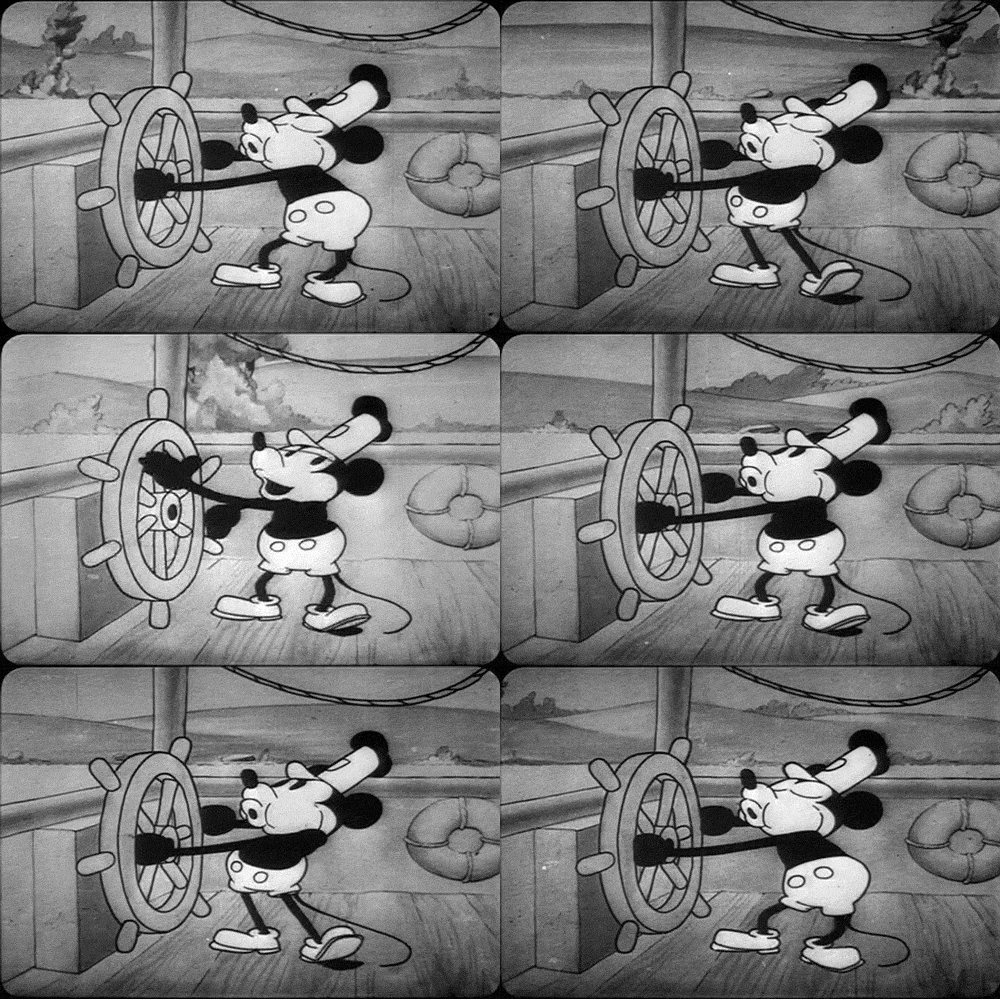
P.s: This was one of Disney's first animated pieces with synchronized sound, debuting Mickey and Minnie Mouse. The short film is called Steamboat Willie, released in 1928.
History of Animation
Initially, traditional animations started out as hand drawings. But now, almost everything is digital.
Did you know that the first animation was made way back in the early 1900s?
The first ever animated movie, Fantasmagorie, was created on August 17th, 1908, by Emile Cohl.
The creation took around five months and involved 700 drawings, resulting in a 1 Minute and 20-second film.
This was done using an illuminated glass plate to trace each frame and create a consistent animation.
He filmed the black lines on paper and then printed them in negative. This way, Cohl made his animations look like chalk drawings.
Types of Animation
In this article, we will look into 14 different types of animation styles. They are -
- 2D Animation
- 3D Animation
- Whiteboard Animation
- Typography Animation
- Stop Motion Animation
- Claymation
- Traditional Cel Animation
- Rotoscope Animation
- Flipbook Animation
- Puppetry Animation
- Motion Graphics
- Cut-out Animation
- Vector Animation
- Motion Capture Animation
Let's take a deeper dive into each of those types now.
1. 2D Animation
Two-dimensional or 2D animation involves creating movements using static images in two dimensions. Moving images rapidly in a sequence creates an illusion of movement - like a film.
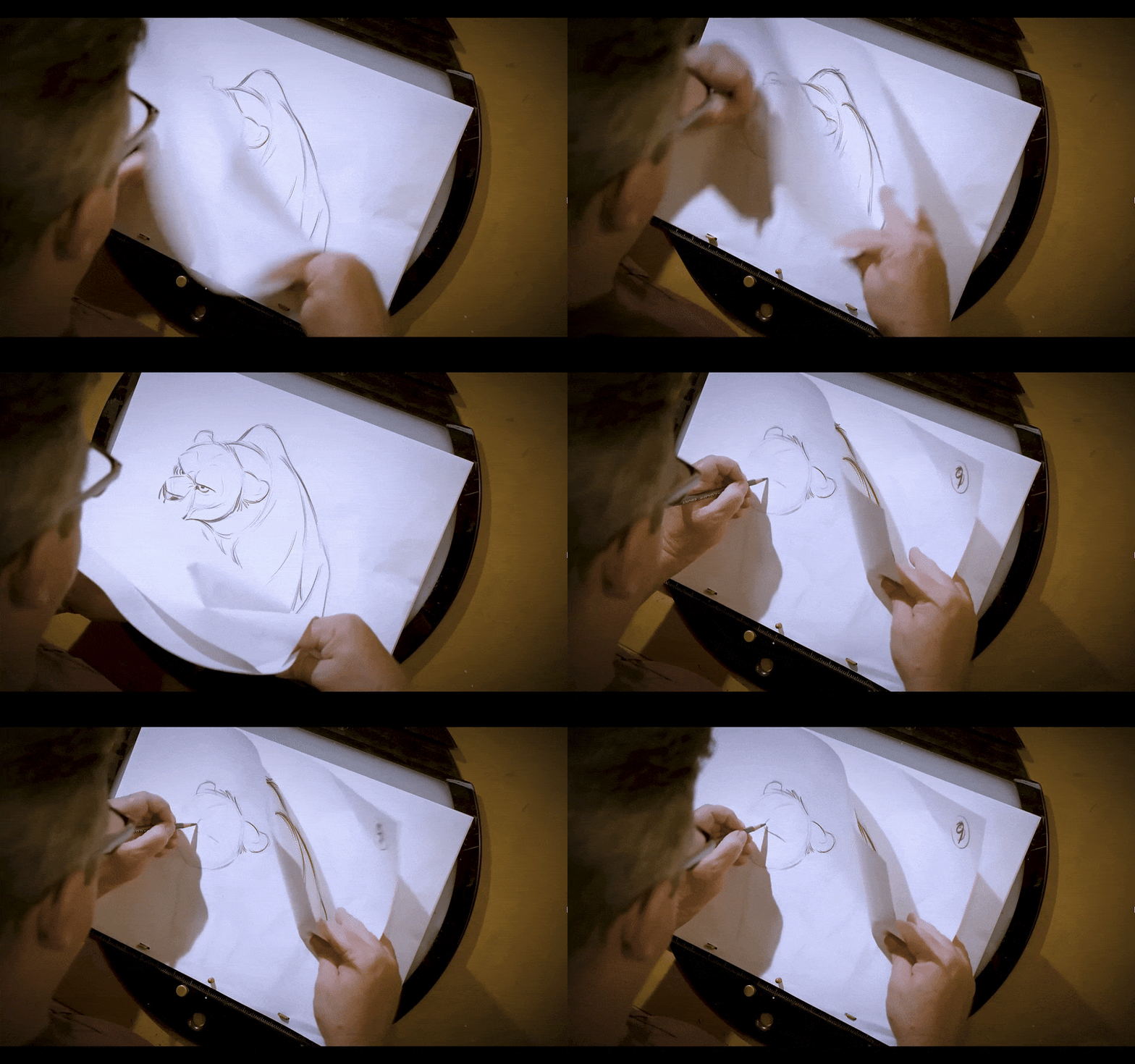
2D animation is widely used in cartoons, movies, advertisements, educational content, and more.
Example of 2D Animation -
How to make 2D Animation?
When it comes to tools, popular 2D animation software includes Animaker, ToonBoom, Vyond, and Adobe Animate.
2. 3D Animation
3D Animation brings digital objects to life, creating the illusion that they are moving in three-dimensional space.
Despite being displayed on a 2D screen, these animations mimic the principles of 3-Dimension in the real world.
These types of animations are now widely used for all scenarios. Be it movies or advertisements, you can see them everywhere.
Example of 3D Animation -
How to make 3D Animation?
You can create 3D animations using tools such as Blender, AutoDesk Maya, and Animaker (using its GenAI feature).
3. Whiteboard Animation
Whiteboard Animation is an animation type that simulates hand-drawn illustrations on a whiteboard.
This is a unique animation technique where each element is drawn right in front of the viewer. In these videos, narration usually plays as the story is drawn.
Whiteboard animations are widely used in explainer videos, as this technique helps demonstrate ideas in an easy and effective manner.
Example of Whiteboard Animation -
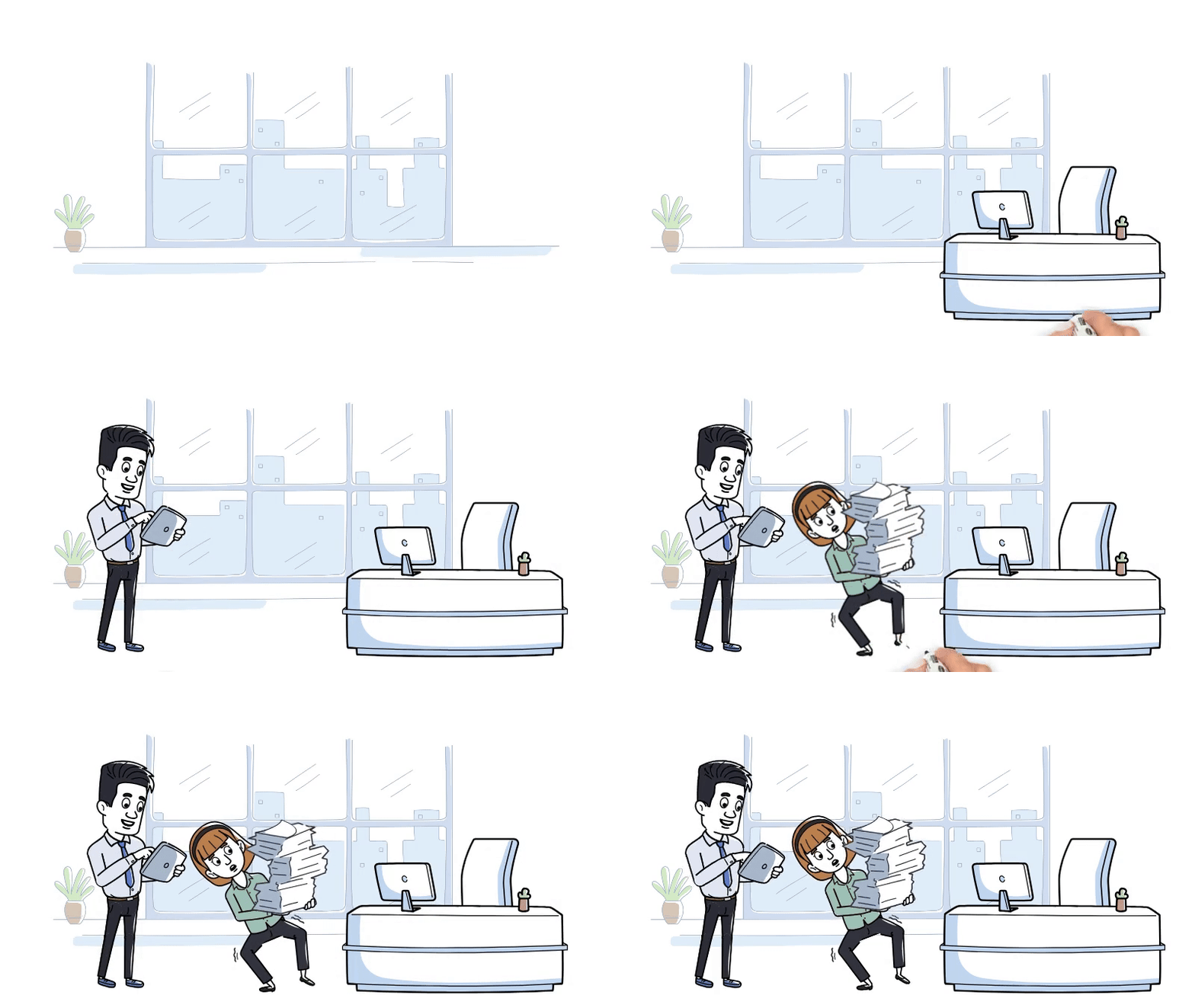
The above clip was created using Animaker’s whiteboard animation maker.
How to make Whiteboard Animation?
For professional-quality whiteboard animations, platforms like Animaker, Videoscribe, Renderforest, Powtoon, and Vyond are generally preferred.
If you’re looking for a complete breakdown and comparison of whiteboard tools, check out the linked article.
4. Typography Animation
Animated Typography, also known as Kinetic Typography, is a type of animation that involves effects on text like movement, visuals, or transitions.
This kind of animation is often used in product launches and title screens, intro segments, credits, etc., to create a sense of anticipation and excitement.
Example of Typography Animation -
How to make Typography Animation?
To make compelling typography animation, tools like Canva, Adobe After Effects and Animaker are great options.
5. Stop Motion Animation
Stop Motion animation is a technique where the objects are photographed with little changes made in every frame to create an illusion of movement when the pictures are played in a sequence.
This is usually used in cartoons, short films, commercials, and other creative mediums.
Example of Stop Motion animation -
How to make stop motion animation?
Stop motion requires a DSLR or a phone, a tripod, lighting, and editing software like Adobe Premiere Pro to assemble frames into an animation.
About 80% of the work involves physically setting up and capturing each frame while the rest 20% involves editing.
6. Claymation
Claymation, or Clay Animation, as the name suggests, is a branch of stop motion animation that involves creating scenes in clay.
The clay characters are moved bit by bit in each frame to create movement when played in sequence. Right from the characters to the scene, everything is made in clay.
This type of animation is widely used in classic children's movies and cartoons as they are appealing and unique.
While one of the popular examples is Pingu, we don’t see this kind of animation these days.
Example of Claymation -
How to make Claymation?
To make claymation, you need clay/modeling materials, a camera or a phone, lighting equipment, and editing software like Stop Motion Studio to shoot and compile the frames.
7. Traditional Cel Animation
Cel animation is one of the oldest and most traditional forms of animation that involves hand drawing every scene on clear celluloid sheets.
The sheets with the painted background are placed one on top of the other.
As you might have guessed, the ‘cel’ refers to the celluloid sheets on which the drawing is done. This type of animation was widely used by artists in Walt Disney Studios.
Example of Traditional Cel Animation -
How to make Traditional Cel Animation?
The tools you require for this type of animation are celluloid sheets, paints and brushes, a rostrum camera and a good lighting setup.
8. Rotoscope Animation
Rotoscope is a type of animation that involves tracing live-action videos and drawing over them to make the animation look dynamic and realistic.
In the early days, it was usually done by projecting the live-action images on a glass panel, then tracing and customizing the subject according to the scene.
Now, the process is made simpler with softwares for manual tracing with motion tracking.
A major use case for rotoscoping is in live-action films, where you can extract a character's matte or outline from one scene and reuse it in another scene with a different background.
Example of Rotoscope Animation -
A good example of rotoscoping is the Star Wars movie.
In this video, the end of the sticks (the lightsaber) is edited over to add the neon red saber to bring in the Star Wars theme.
How to make Rotoscope Animation?
You require good camera/video equipment and modern software like Adobe After Effects or Mocha to semi-automate the tracing process.
9. Flipbook Animation
Flipbook animation is one of the earliest forms of animation. A bunch of papers stacked together, and each sheet has a drawing slightly different from the others.
The pages represent the frames of the video. When the pages are flipped rapidly, the series of pictures simulates a sense of animation.
Flipbook animations are usually used in offline media such as magazines, children's story books, etc.
Example of Flipbook Animation -
How to make Flipbook Animation?
Flipbook animation is created entirely by hand. You would need paper, drawing materials and the patience to draw each frame.
10. Puppetry Animation
Puppetry animation, as the name suggests, uses puppets as the video’s primary subjects instead of any other objects.
This is one of the old & traditional forms of entertainment commonly used in children’s cartoons and films.
Example of Puppetry Animation -
These are just some of the major types of animation. Many more types can be formed by combining the styles mentioned above.
How to make Puppetry Animation?
Puppetry animation requires hand-crafted puppets, a stage setup, lighting, control rigs and a camera for professional results.
11. Motion Graphics
Motion graphics is all about animating graphic elements like shapes, text, logos and icons.
While traditional animation focuses on characters, this type of animation is all about conveying information through graphic animation.
It is often seen in news intros, sports graphics, marketing campaigns, and website animations.
Example of Motion Graphics -
How to make Motion Graphics?
First, to design static assets, you require tools like Adobe Illustrator, Photoshop, or even Figma. Then to animate these assets, you can make use of tools like Animaker, Adobe After Effects, Canva.
12. Cut-out Animation
Cut-out animation is a technique where flat characters and objects (drawn or printed) are cut out and photographed frame by frame with little positional changes between each shot.
So, cut-out animation is a type of stop-motion animation that uses paper or other flat materials as its medium.
This type of animation is used in storyboarding, animated shorts, television shows like South Park.
Example of Cut-out Animation -
Even though the early episodes used the cut-out animation style, it now uses computers to mimic that exact style.
How to make Cut-out Animation?
Cut-out animation can be done entirely physically with paper, foam board, a craft knife, a light and camera setup, and pins or tape to hold the pieces in place.
To compile the pictures, softwares like Adobe Premiere Pro and Da Vinci Resolve are great options.
If you want to do entirely digital, then you can choose tools like Adobe Animate and Toon Boom Animate.
13. Vector Animation
Vector animation uses vector graphics defined by mathematical equations rather than pixel-based images.
These graphics are resolution-independent, meaning they maintain quality at any size, making them perfect for creating clean and crisp visuals.
Vector animation is used in web and digital marketing campaigns and UI/UX animations for websites and apps.
Example of Vector Animation -
How to make Vector Animation?
To create vector animation, vector artwork can be created using design softwares like Adobe Illustrator, Figma. Then it can be imported to animation software like Adobe After Effects, Blender, or even Adobe Animate if you want to make interactive web animation.
14. Motion Capture Animation
Motion Capture, also known as MoCap, is a process where real movements are recorded using specialized cameras and then translated into digital animation.
The markers on the actors track the movement - facial expressions, body movements, gestures and the data is then applied to 3D characters.
MoCap Animation is used in films like Avatar, Lord of the Rings, and video games like FIFA.
Example of Motion Capture Animation -
How to make Motion Capture Animation?
This type of animation requires specialized equipment and skills. You would need to record an actor’s movements using an infrared camera to track LED markers, then apply the recorded data to a 3D digital character model.
The character will automatically mimic the movements, including facial expressions and gestures.
Comparison table
Now that we have seen 14 different types of animation, let’s look at a comparison table for a quick overview.
| Animation Type | Best For | Skill Level | Tool Needs |
|---|---|---|---|
| 2D Animation | Cartoons, movies, advertisements, educational content | Beginner–Intermediate | Animaker, Toon Boom, Vyond, Adobe Animate |
| 3D Animation | Movies, advertisements, games, realistic visuals | Advanced | Blender, Autodesk Maya, Animaker GenAI |
| Whiteboard Animation | Explainer videos, educational and instructional content | Beginner–Intermediate | Animaker, VideoScribe, Renderforest, Powtoon, Vyond |
| Typography Animation | Product launches, title screens, intros, credits | Beginner–Intermediate | Canva, Adobe After Effects, Animaker |
| Stop Motion Animation | Cartoons, short films, commercials, creative projects | Intermediate | Camera/phone, tripod, lighting, Adobe Premiere Pro |
| Claymation | Children's movies, cartoons, creative storytelling | Intermediate–Advanced | Clay/modeling materials, camera/phone, lighting, Stop Motion Studio |
| Traditional Cel Animation | Traditional cartoons and hand-drawn animation | Advanced | Celluloid sheets, paints, brushes, rostrum camera, lighting |
| Rotoscope Animation | Realistic animation, visual effects, live-action films | Advanced | Camera/video equipment, Adobe After Effects, Mocha |
| Flipbook Animation | Children's books, magazines, offline creative media | Beginner–Intermediate | Paper, drawing materials, manual frame-by-frame drawing |
| Puppetry Animation | Children's cartoons, films, traditional storytelling | Intermediate–Advanced | Puppets, stage setup, lighting, control rigs, camera |
| Motion Graphics | News graphics, sports graphics, marketing campaigns, websites | Intermediate | Illustrator, Photoshop, Figma, After Effects, Animaker, Canva |
| Cut-out Animation | Storyboarding, animated shorts, television shows | Intermediate | Paper/foam board, camera, lighting, Premiere Pro, DaVinci Resolve |
| Vector Animation | Web, digital marketing, UI/UX animations | Intermediate | Illustrator, Figma, After Effects, Blender, Adobe Animate |
| Motion Capture Animation | Films, video games, realistic character movement | Advanced | MoCap cameras, tracking markers, 3D models, animation software |
Final takeaway
While most of these animations can be made with the help of professional animation softwares like Adobe Animate, Adobe After Effects, Sony Vegas, etc., a few types like claymation and puppetry animation still require manual effort.
And if you are a beginner getting started with animation, understanding how it works and executing the overall process can be really overwhelming!
But what if I told you you could create animations like these right from your browser?
Yes, you read it right!
With Animaker, you can create stunning animated videos online, regardless of skill level.
Animaker makes it easy to create a variety of animation styles - cartoon, whiteboard, typography, and even 3D animations.
There are styles like cartoon style, whiteboard style, 3D Pixar style, and typography animation, all possible with Animaker.
So, if you are looking for a way to create cool animated videos, check out this video:
I hope this article helped you to understand animation and its different types. Have a great time creating your own animated video!