
5 Best Whiteboard Animation Software 2026 - Tested & Reviewed!
TL;DR:
- The best whiteboard animation software depends on your needs and skill level.
- Animaker is the only one with a forever-free plan and full custom character creation.
- Videoscribe only supports static character images.
- Renderforest and Powtoon can't create custom characters at all.
- Vyond offers character creation but only via a 14-day trial with no downloads.
You've got 8 seconds. That's the average human attention span today - less than a goldfish.
So how do top marketers, educators, and creators keep viewers watching till the very end?
Whiteboard animation.
There's something almost hypnotic about watching an idea get drawn out in real time.
It triggers curiosity, builds suspense, and makes even the most boring topics feel interesting.
That's why many brands and businesses have used it to explain their products - and why it consistently outperforms standard video formats in engagement.
Don't believe us? Check out some of the best whiteboard video examples to see exactly what it can do.
But here's the catch: not all whiteboard animation tools are created equal. Some are clunky. Some are expensive. And some look like they were designed in 2009.
So we did the research for you.
We tested 5 of the best whiteboard animation software tools - scoring them on ease of use, animation quality, character customization, template variety, and pricing - so you can skip straight to the one that fits your needs.
Whether you're a marketer, teacher, YouTuber, or total beginner, there's a perfect tool on this list for you. Let's find yours.
Here is a quick comparison between these 5 best whiteboard animation software tools.
| Tool | Custom Whiteboard Characters | Asset Library | Major Limitation | Free Plan / Free Trial |
|---|---|---|---|---|
| Animaker | Available | Extensive | Watermark in free plan | Forever-free plan |
| Videoscribe | Static images only | Large but outdated | No animated characters | 7-day trial |
| Renderforest | No character creation | Moderate | Steep learning curve | Free plan with limit |
| Powtoon | No character creation | Limited in free plan | No downloads in free plan, grainy hand animation | Free plan (limited downloads) |
| Vyond | Available | Limited props in trial | No downloads/GIFs in trial | 14-day trial |
Best Whiteboard Animation Software
1. Animaker
Animaker is an all-in-one animation video creation tool, and its Whiteboard video maker tool can make whiteboard animations a breeze.
Inside the Editor
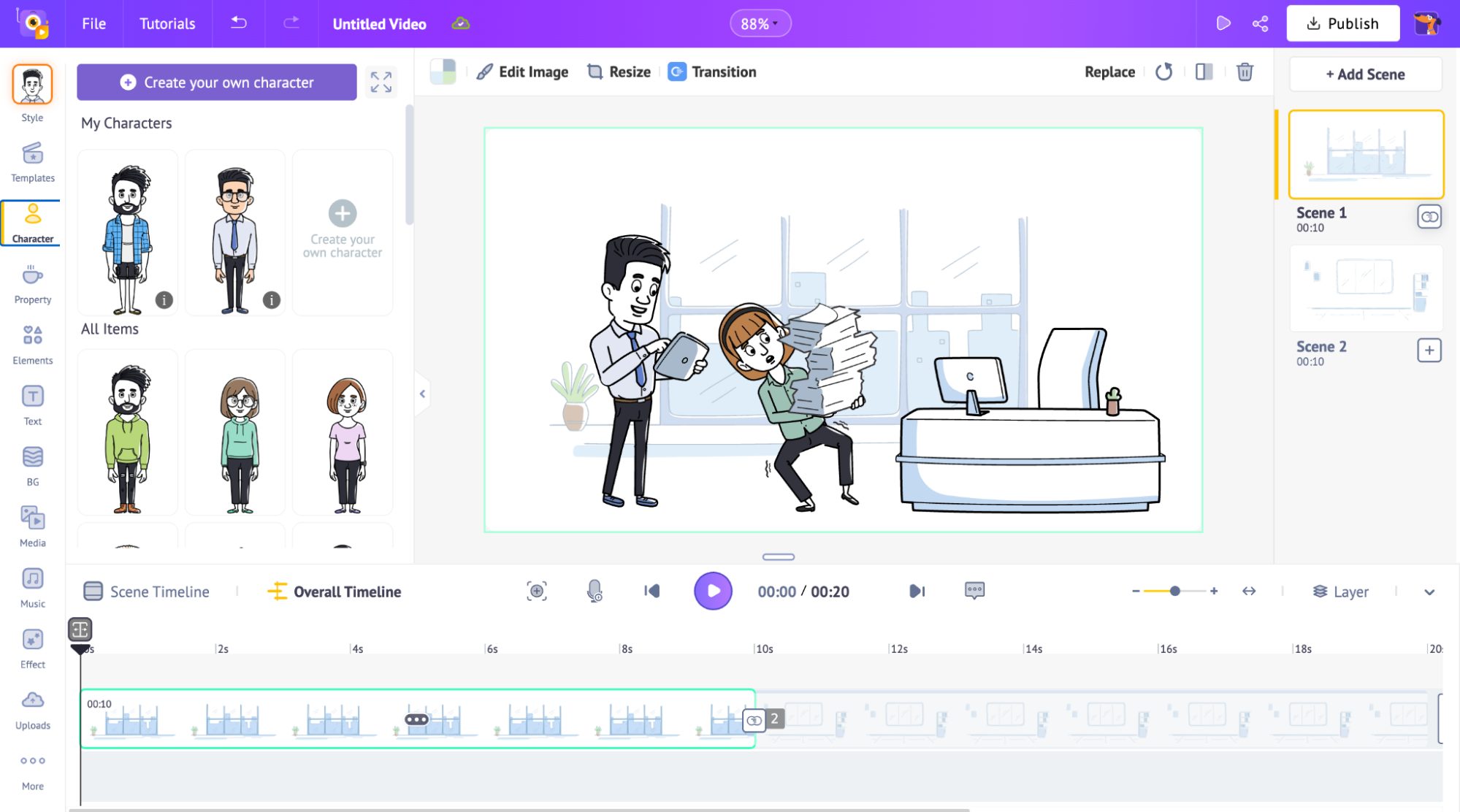
The whiteboard editing window is pretty straightforward. The assets library is on the left, your workspace in the middle, scenes on the right, and the timeline at the bottom. For a first-timer, that kind of clean layout makes a huge difference.
Clip created using Animaker
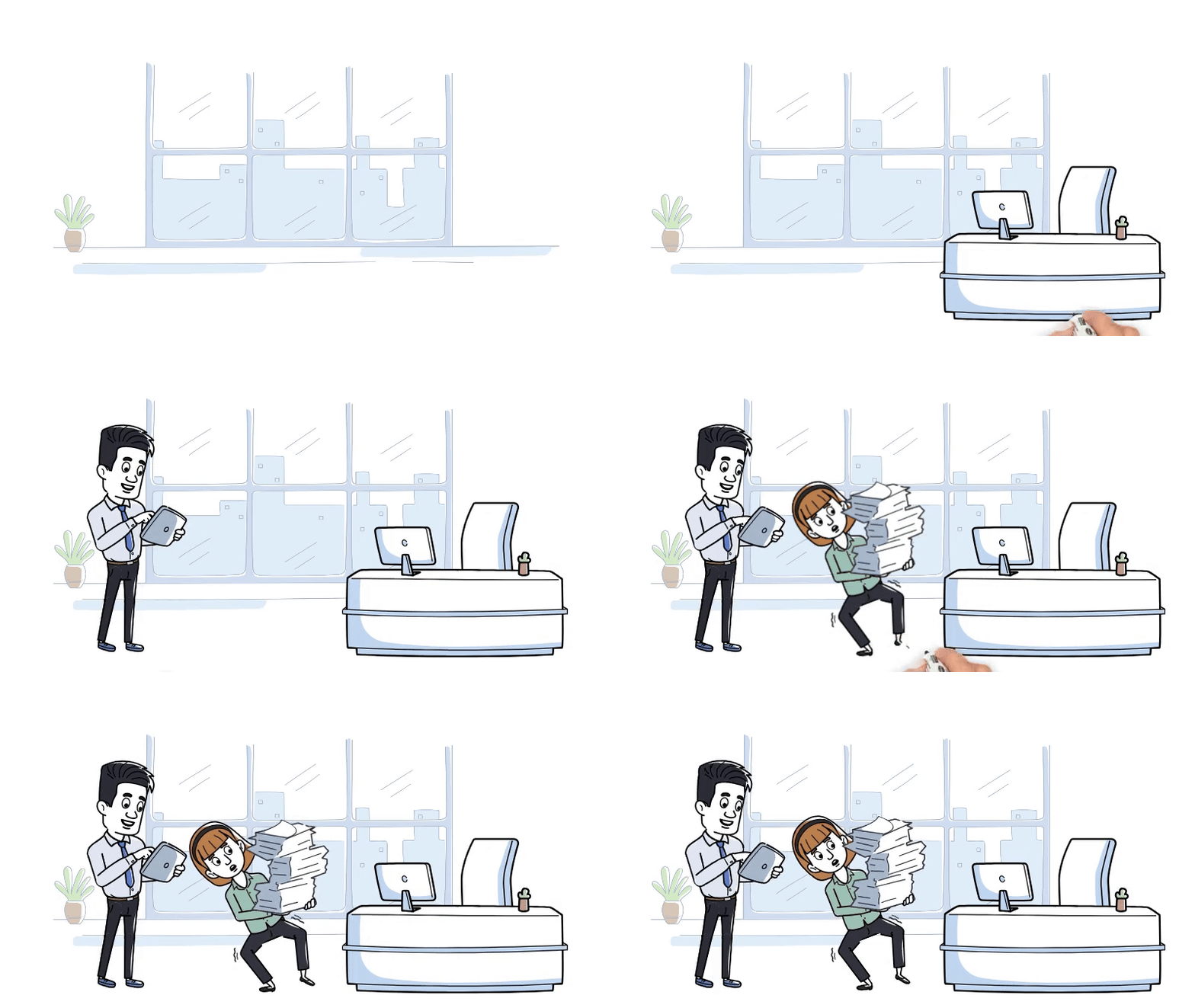
Here's what Animaker offers
- AI-powered whiteboard videos - Just type in a prompt and Animaker's AI will generate a whiteboard animation for you. This is an additional feature apart from creating from scratch.
- Build your own character - 20+ pre-made characters to pick from, or start from scratch. Change hair, skin tone, outfit, accessories. Trust me, it is surprisingly detailed.
- Character expression - 20+ expressions that you can pick to perfectly set the tone of the video. It is a small but effective detail most tools skip!
- Text-to-speech built in - 180+ AI voices available for different languages.
- Multiple drawing hands - Not just one generic hand. Pick the style that fits your video's vibe.
- Any size, any platform - YouTube, Instagram Reels, LinkedIn; you can switch aspect ratios without rebuilding your whole video from scratch.
- Export as video or GIF - GIF exports are underrated. Great for embedding previews in emails or blog posts without auto-play headaches.
Pros and cons
| Animaker's Whiteboard Video Maker Pros & Cons | |
|---|---|
| ✔ PROS | ✘ CONS |
| 🟢 Free plan available | 🔴 Watermark in the free plan |
| 🟢 Easy to use | 🔴 Limited templates currently |
| 🟢 Multiple aspect ratio | |
| 🟢 Multiple hand options | |
| 🟢 20+ prebuilt whiteboard characters | |
| 🟢 Large whiteboard asset library | |
| 🟢 Custom whiteboard characters | |
| 🟢 Animated actions can be added | |
| 🟢 Multiple download formats available (as video & GIF) | |
Pricing
Animaker has a forever-free plan, which is great for testing things out.
But if you're creating videos for actual use, you'll want a paid plan - the free version does add a watermark.
Either way, it's one of the more affordable options on this list for what you get.
Bottom line
If you're just getting started with whiteboard animation and don't want to feel overwhelmed, Animaker is a solid pick.
The interface is clean, the character builder is genuinely fun, and the asset library gives you plenty to work with - making it one of the best whiteboard animation software options for total beginners.
2. Videoscribe
VideoScribe is one of the most well-known whiteboard animation tools out there, popular for its simplicity and great for putting together quick explainer videos without a steep learning curve.
Inside the Editor
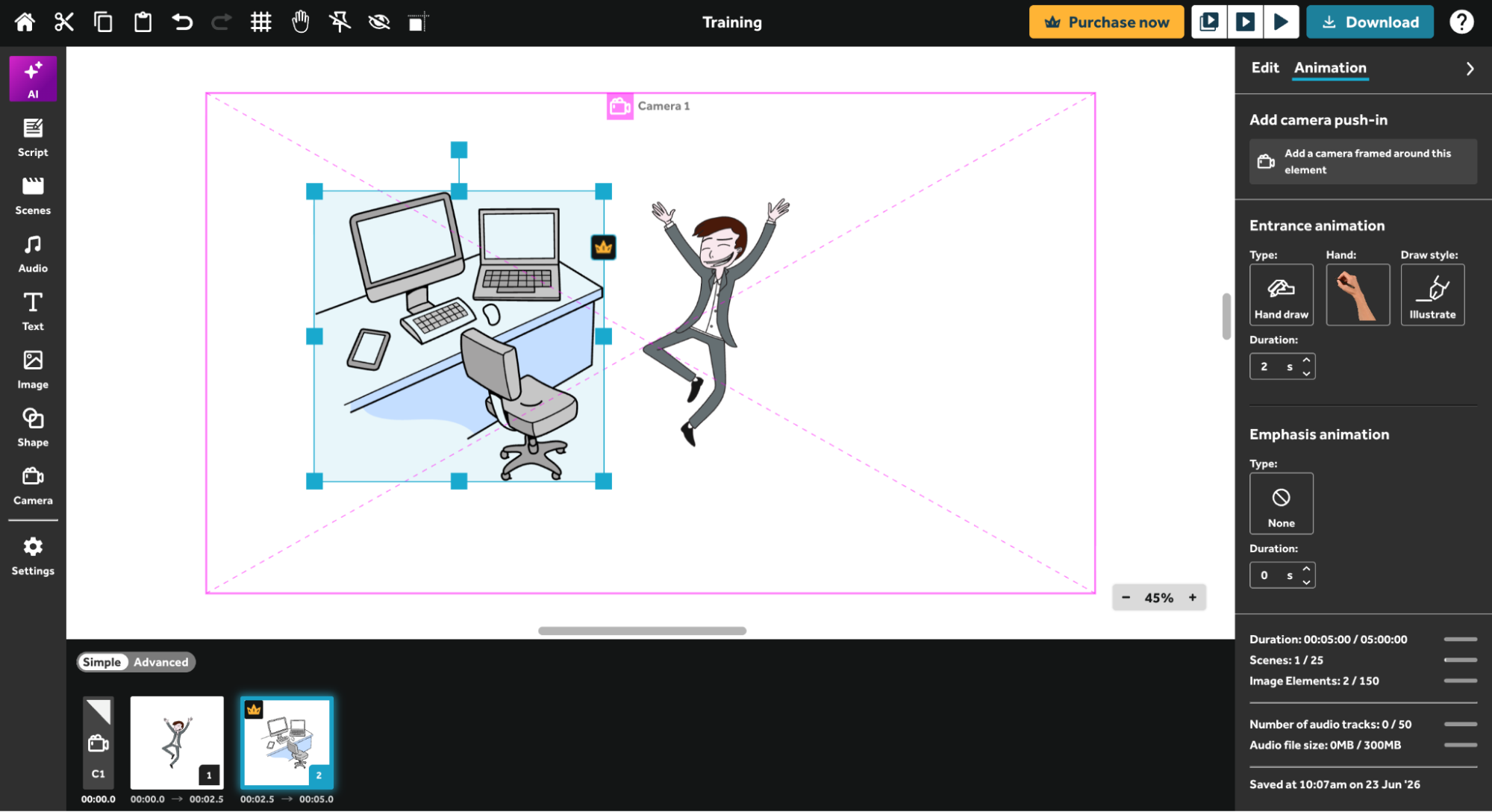
The editor feels easy to navigate. The asset library is on the left, the canvas takes up the middle, and the different elements for your video runs along the bottom. On the right is the edit option where you can change the colors and control the animation for the elements.
Clip created using Videoscribe
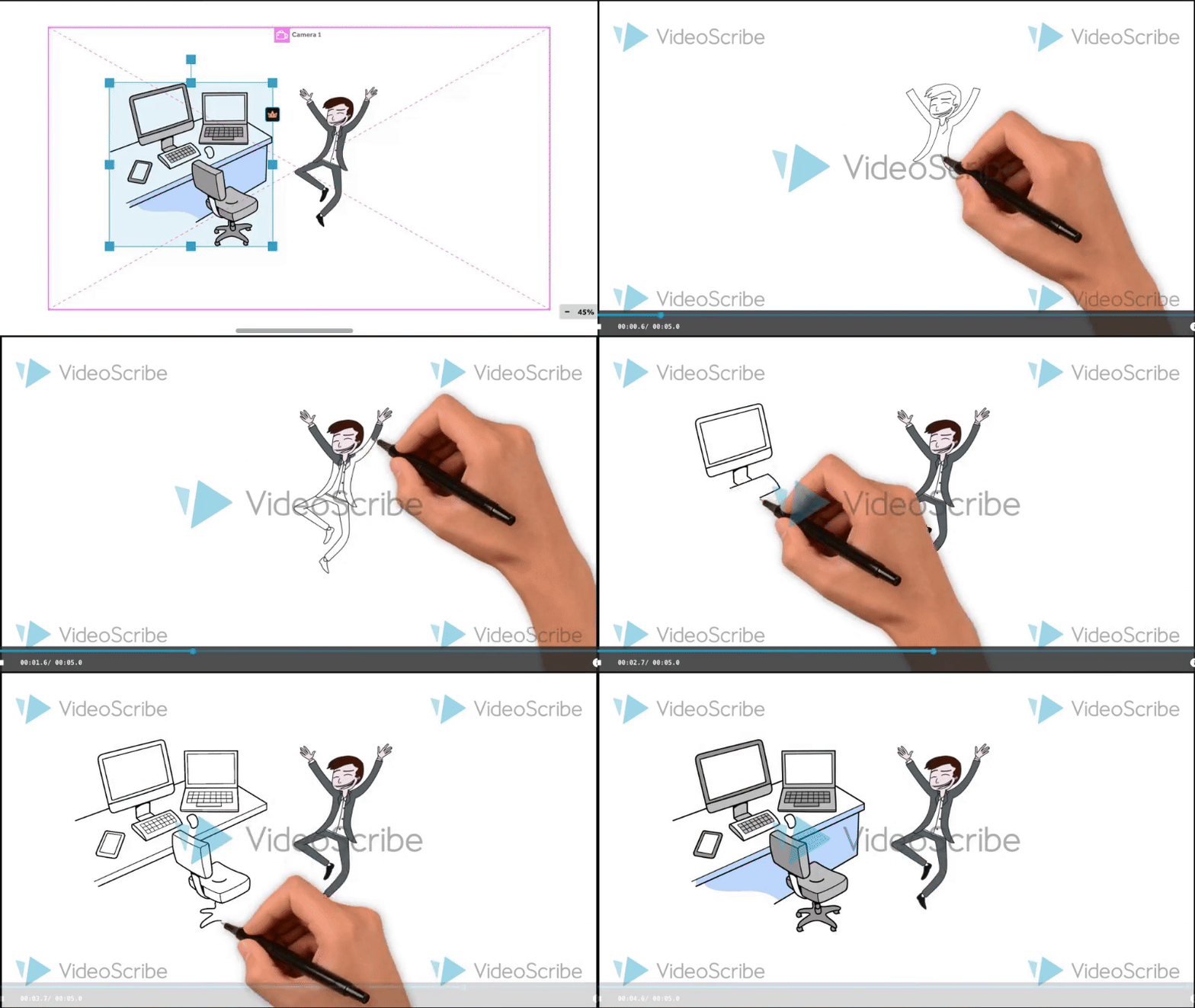
Here's what Videoscribe offers
- Quick-start templates - Jump straight into a project without starting from scratch. The templates are handy when you just need something done fast.
- Adjustable animation timing - You control how long each element takes to draw on screen. It's a small thing but makes a big difference when you're syncing visuals to a voiceover.
- Multiple hand-drawn styles - Switch up the look and feel of your animation with different hand styles to match your video's tone.
- Flexible canvas sizes - Multiple size options so your video fits wherever you're posting it.
- AI assistance - You can generate images from a prompt, get a script written for you, and even create a voiceover automatically. Handy for speeding things up, though don't expect it to build your whole video for you as some newer tools can.
Worth knowing, though - the asset library, while large, feels a little dated compared to newer tools. And if you were hoping to animate characters with actions and expressions, VideoScribe doesn't do that. The characters are static images only.
Pros & Cons
| Videoscribe Pros & Cons | |
|---|---|
| ✔ PROS | ✘ CONS |
| 🟢 7-day Free Trial available | 🔴 Watermark in the free trial |
| 🟢 Easy to use | 🔴 Only 3 downloads in free trial |
| 🟢 Templates available | 🔴 Outdated asset library |
| 🟢 AI script generation possible | 🔴 Limited scenes & elements in free trial |
| 🟢 Multiple aspect ratio | 🔴 No action can be added to the characters |
| 🟢 Multiple hand-drawing options | |
| 🟢 Multiple download formats available (as video & GIF) | |
Pricing
VideoScribe doesn't have a free plan but offers a 7-day free trial to get a feel for the tool. Just keep in mind the trial limits how many images and scenes you can use, so you won't get the full experience until you upgrade.
Bottom line
If you want a no-fuss tool that gets the job done quickly, VideoScribe earns its spot among the best whiteboard animation software for simple, clean explainer videos
Just don't go in expecting animated characters or a modern asset library. It's better suited for simple, clean explainer videos than anything too elaborate.
3. Renderforest
Renderforest is more of a general video creation platform that happens to have a whiteboard mode. It's not built specifically for whiteboard animation the way Animaker or Doodly are.
Inside the Editor
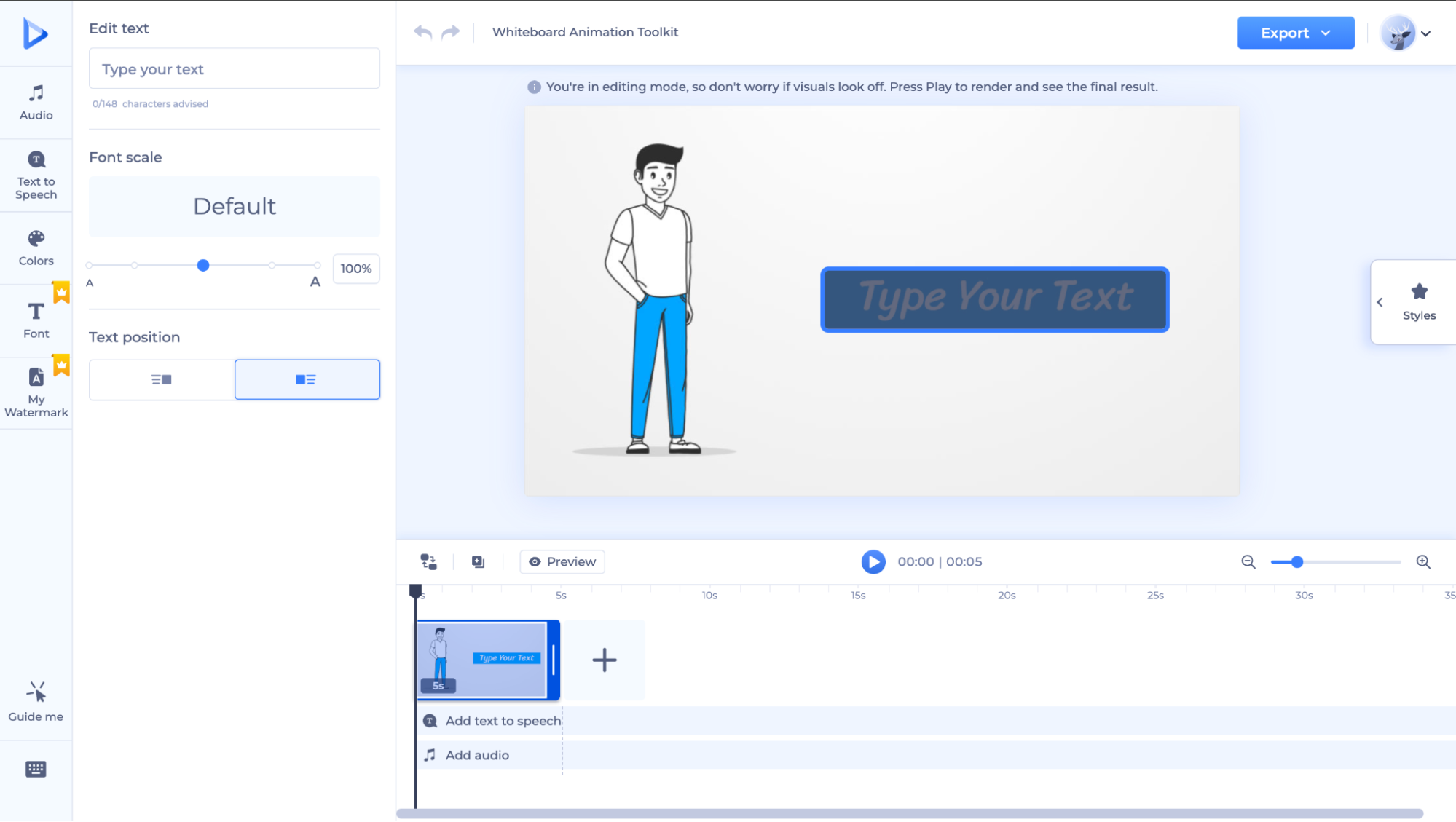
The Renderforest editor is pretty minimal. On the left, you've got basic controls, and the canvas sits in the middle showing your scene, and the timeline runs along the bottom where you can add and sequence your clips. It's quite limited in terms of what you can tweak directly on the canvas.
Clip created using Renderforest
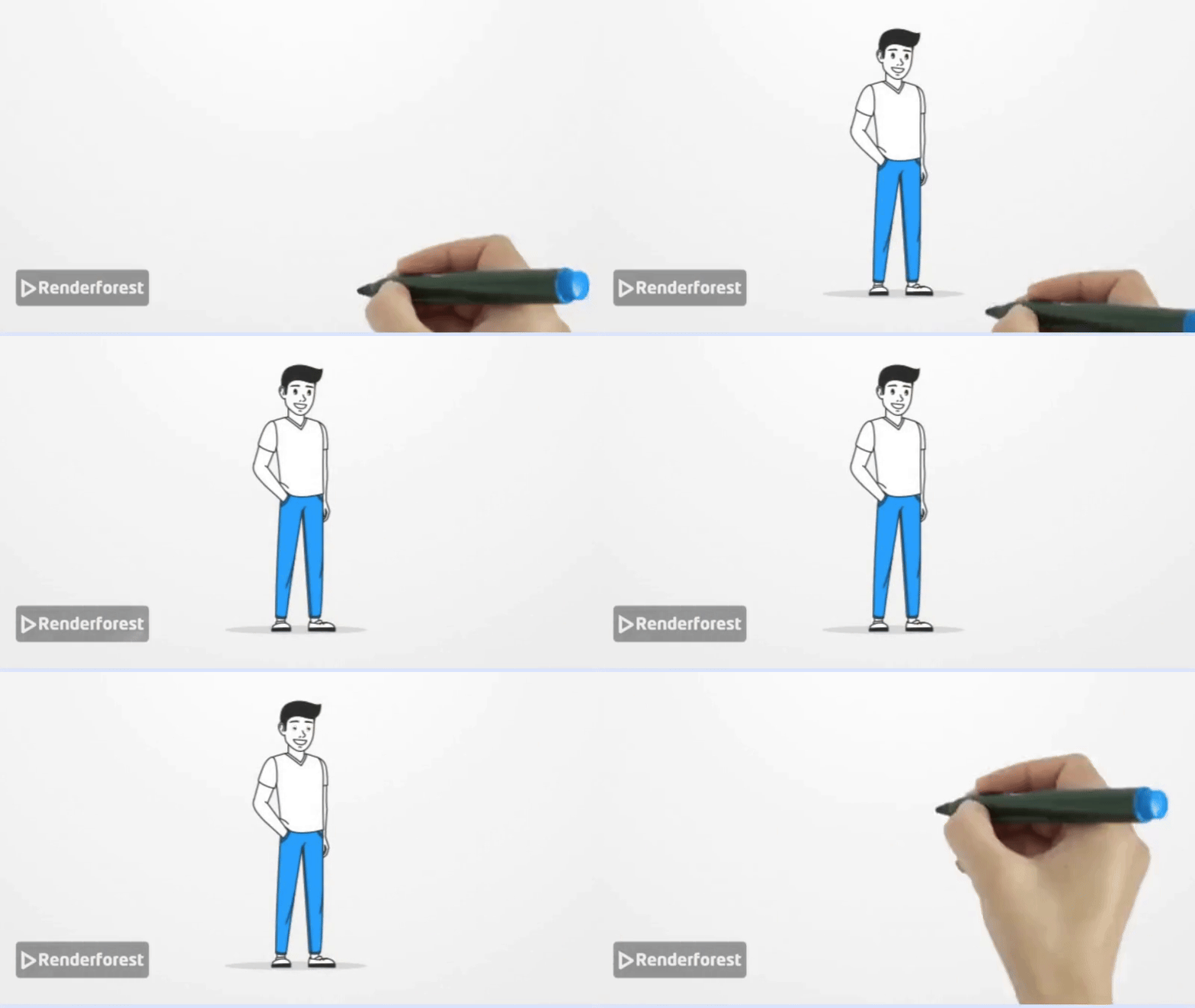
Here's what Renderforest offers
- AI creation - Renderforest's AI will help pull a whiteboard video together for you using automated scene generation. Great for when you need something quick without too much manual work.
- 400+ scenes to work with - A solid library of pre-built scenes you can piece together to tell your story without starting from scratch.
- Text-to-speech built in - AI voiceovers, supports multiple languages too, which is handy if you're creating content for different audiences.
Worth knowing, though - the editing experience is heavily template-locked. You're mostly just swapping out text and picking styles. There's very little you can actually customize on the canvas. And if you were hoping to build or personalize whiteboard characters, that's not something Renderforest supports.
Pros & Cons
| Renderforest Pros & Cons | |
|---|---|
| ✔ PROS | ✘ CONS |
| 🟢 Free Plan available | 🔴 Takes time to understand the tool |
| 🟢 Scenes available | 🔴 Watermark in the free plan |
| 🟢 Templates available | 🔴 Only 3 minutes available in free plan |
| 🟢 Can create videos with AI | 🔴 Cannot create whiteboard characters |
| 🔴 Cannot customize the scenes | |
Pricing
Renderforest has a free plan, which is great for exploring the tool. But the free version adds a watermark and caps your video at three minutes, which might not cut it if you're working on anything detailed.
Bottom line:
Renderforest is a fair tool if someone just wants a quick template-based whiteboard video with minimal effort.
But compared to Animaker, it's noticeably weaker on customization and whiteboard-specific features.
4. Powtoon
Powtoon is a cloud-based video creation platform that does a lot more than just whiteboard animation. Whiteboard is just one mode, but it's a solid one.
Inside the Editor
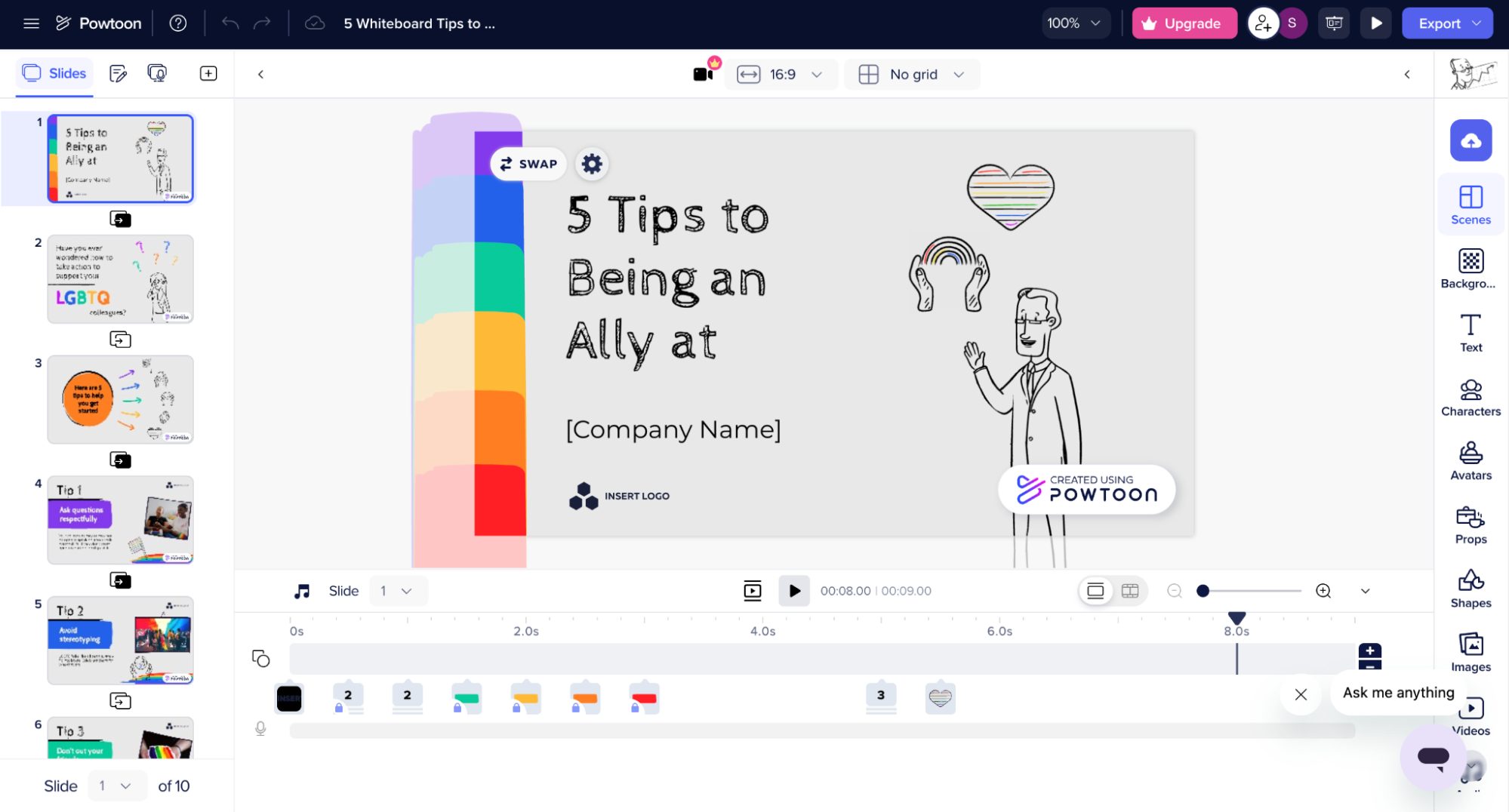
Powtoon’s editor is similar to that of Animaker’s, except that the scenes are on the left and the library is on the right. The canvas is in the middle where you build your scenes, and a timeline at the bottom for sequencing.
Clip created using Powtoon

Here's what Powtoon offers
- Multiple hand-drawing styles - You're not stuck with one generic hand.
- Flexible canvas sizes - Switch between aspect ratios depending on where you're publishing.
- GIF export on the free plan - Powtoon lets you download GIFs for free, which is handy for blog posts or emails.
- AI-powered features - Powtoon's "Imagine" suite lets you generate video drafts from a text prompt, create scripts, produce voiceovers, and even generate AI avatars. It's a decent set of AI tools for speeding up your workflow.
- Templates to get you started - A good variety of ready-made whiteboard templates so you're not starting from a blank canvas every time.
Worth knowing, though - the hand-drawing animation looks grainy while it's in progress and only cleans up once the animation completes. It's a bit jarring, especially if you're previewing your work mid-build.
Pros & Cons
| Powtoon Pros & Cons | |
|---|---|
| ✔ PROS | ✘ CONS |
| 🟢 Free Plan available | 🔴 Only 2 characters in free plan with very limited poses |
| 🟢 Templates available | 🔴 Cannot create characters in the free plan |
| 🟢 Multiple aspect ratio | 🔴 Very limited props in free plan |
| 🟢 Multiple hand-drawing options | 🔴 The hand-drawing animation of the element is grainy until the animation is complete |
| 🟢 GIFs format can be download for free | 🔴 Cannot download the video in the free plan |
Pricing
Powtoon has a free plan, but honestly it's more of a taste test than a usable free tier. No video downloads, barely any characters, and very limited props.
Bottom line
Powtoon is a decent pick if you want a tool that goes beyond just whiteboard - presentations, explainers, and marketing videos all live in one place.
But if whiteboard animation is all you need, the free plan will frustrate you fast. Go in with a paid plan in mind, and it's a much better experience.
5. Vyond
Vyond is one of the more polished tools on this list - built for teams and professionals who want to create animations that actually look like they took effort, without needing to be an animator.
Inside the Editor
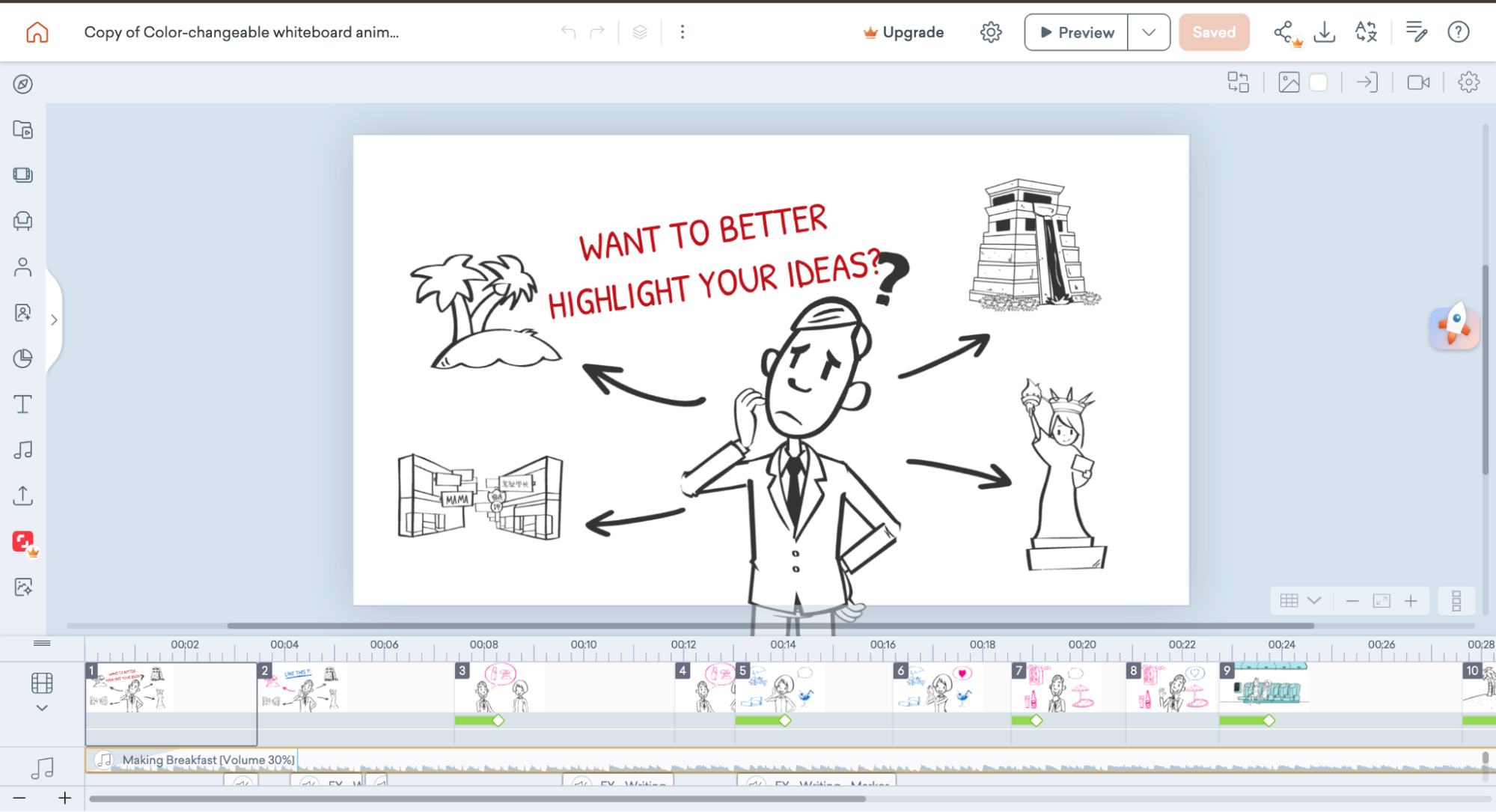
The editor is clean, well-organised, and feels old-school. When you start a new project. Everything is drag-and-drop, and the layout feels intuitive from the first session.
Clip created using Vyond
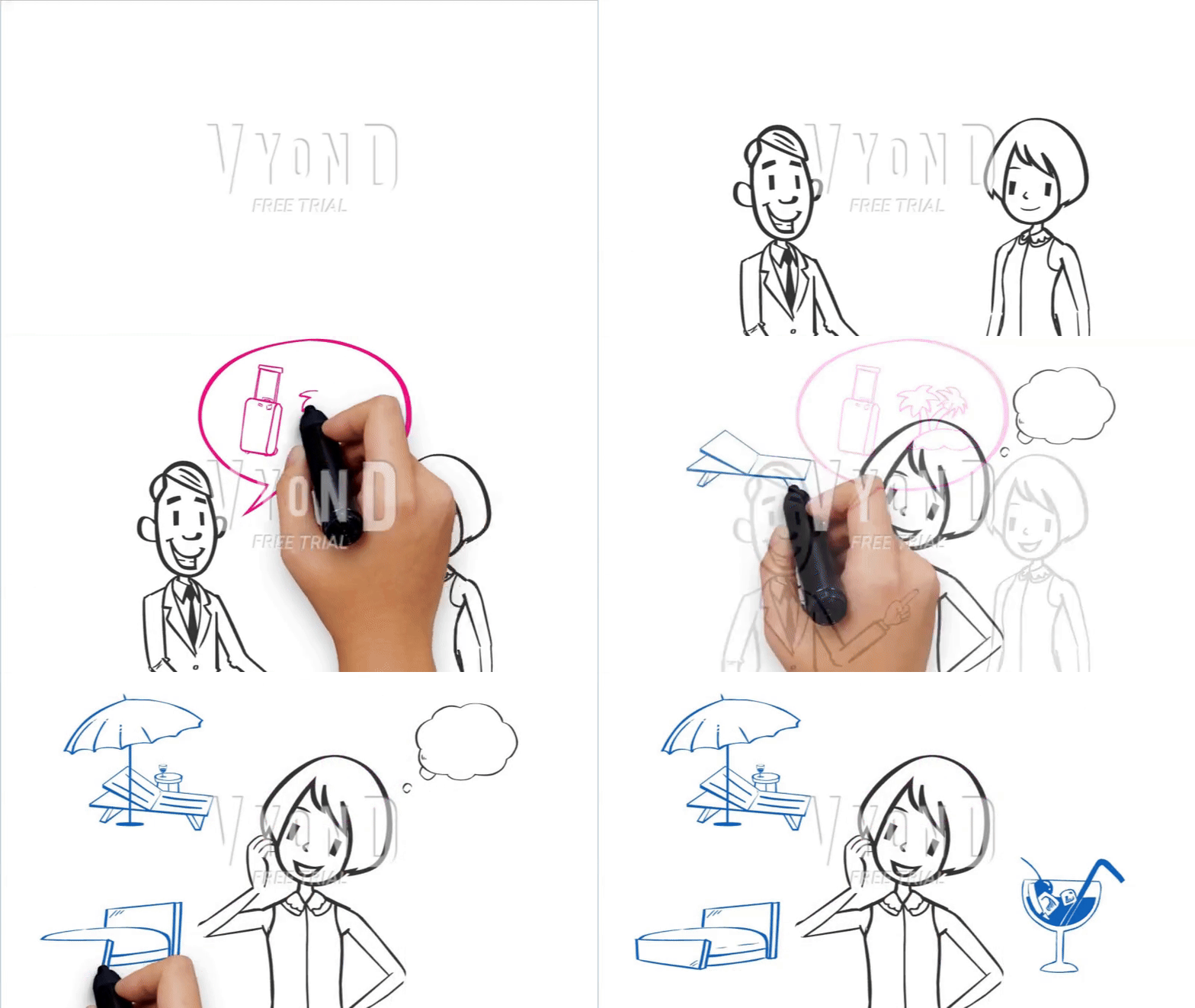
Here's what Vyond offers
- Whiteboard character creation - You can actually build and customise whiteboard characters, not just pick from a fixed library.
- Pre-built scenes and templates - Over 2,000 templates to work from, so you're never starting completely from scratch.
- Multiple hand-drawing options - Like the better tools on this list, Vyond gives you hand style choices to match the tone of your video.
- AI video generation - Vyond Go lets you turn a text prompt or even a document into a full video draft, complete with characters, visuals, and voiceovers.
- Automatic lip-sync - Your characters actually move their mouths in sync with the voiceover. It's a small thing but makes the final video feel noticeably more professional.
Pros & Cons
| Vyond Pros & Cons | |
|---|---|
| ✔ PROS | ✘ CONS |
| 🟢 14-day Free Trial available | 🔴 Cannot change aspect ratio in free trial |
| 🟢 Can create whiteboard characters | 🔴 Cannot download video in free trial |
| 🟢 Templates available | 🔴 Cannot share video in free trial |
| 🟢 Pre-build scenes available | 🔴 Very limited whiteboard props available |
| 🟢 Multiple hand-drawing options | |
Pricing
Vyond offers a 14-day free trial on its Premium plan, but there are trial limitations. You can't download or share anything you make.
Paid plans start higher than most tools on this list, so it's more of an investment. That said, if you're creating videos regularly for a business or team, the feature set justifies the price.
Bottom line
Vyond is feature-rich and powerful, but the visual style feels a bit dated. Even the characters have that old-school, corporate clipart look rather than anything fresh or modern.
If you're a team or business that prioritises function over aesthetics and needs to churn out videos at volume, it gets the job done.
But if you want your whiteboard videos to look current and visually appealing, you might find the style a little stiff.
We have seen the best whiteboard animation tools in this list, with their pros and cons.
Choosing the best whiteboard animation software is crucial to communicating your message while keeping your audience engaged effectively.
Whether you're creating explainer videos, training content, or marketing materials, the tools we’ve explored each offer unique features to bring your ideas to life.
From simplicity to advanced customizations, there's a tool for every need and skill level.
Among the many options available, Animaker’s Whiteboard tool stands out for its versatility and user-friendly interface. The ability to create customized whiteboard characters and animations and a vast library of assets enables you to produce high-quality whiteboard videos in minutes.
Bookmark this best whiteboard animation software guide and come back to it whenever you're ready to start creating.