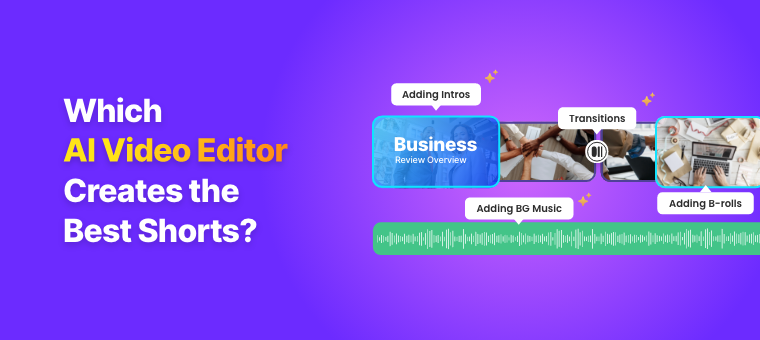

I Tested 6 AI Video Editors for Short Clips in 2026 - Here’s What I Found!
Most AI video editors today can generate Shorts, Reels, and TikTok clips from long-form videos in minutes. But speed isn’t the real problem anymore.
The issue is how these tools interpret conversations. After testing multiple AI clip generators, a clear pattern showed up: most systems are optimized for retention signals like hooks and emotional spikes, not for conversational continuity.
That’s why many AI-generated clips feel abrupt or disconnected from the original discussion, even when the “highlight” is technically correct.
This matters because clip quality is no longer about extraction; it’s about whether the output still feels like a coherent moment from a real conversation.
To test this, I used the same 37-minute podcast across 6 AI video editors and evaluated only one thing: how well each tool preserves conversational flow while generating short, context-aware clips that require minimal manual fixing.
Note: Animaker is a DIY video and animation maker where creators build animated explainers, how-to videos, and entertainment content, and as our community increasingly explores repurposing long-form videos into social media shorts, this comparison became necessary.
A Quick Comparison Overview
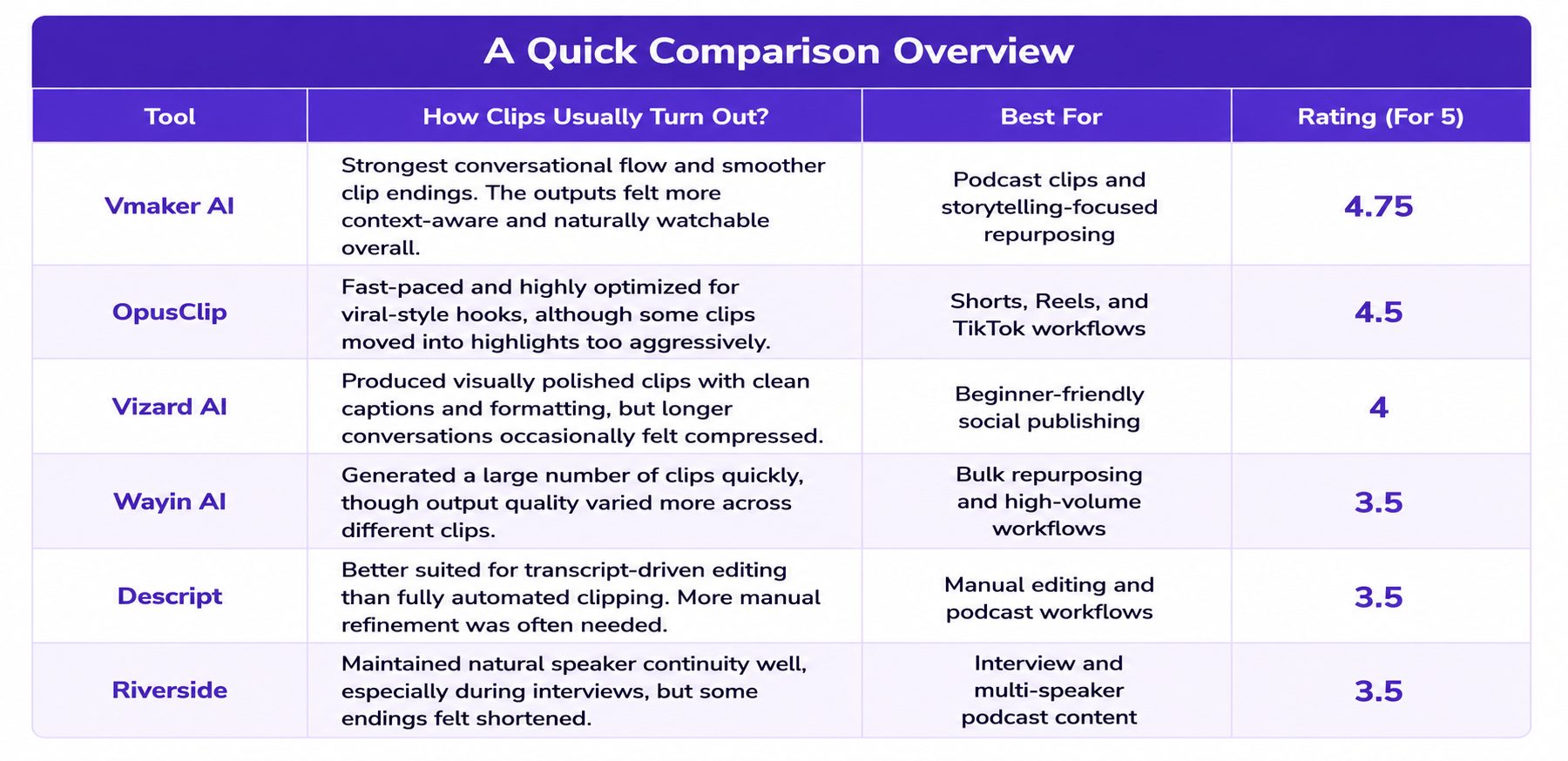
Testing Methodology of 6 AI Video Editors for Content Repurposing
Podcast Used for Testing: Give Me 37 Minutes... I'll Save You 20+ Years Of A Wasted Life | Ed Mylett About the Podcast: Jay Shetty and Ed Mylett discuss the power of small daily actions and consistent effort. They talk about overcoming pain, building self-belief, and how a single decision or conversation can completely change the direction of life.
4 Things I Considered for This Validation
- Same long-form podcast uploaded to every platform.
- Free plans used to get the maximum out of first user experience.
- No manual editing after clip generation.
- Evaluation focused only on clip quality.
The goal was specifically to analyze how each AI system handled conversational clip extraction.
1. Vmaker AI
Vmaker AI consistently preserved the full conversational flow instead of isolating only highlight moments. It retained enough setup before moving into the main point of the discussion, which made the clips feel complete rather than fragmented.
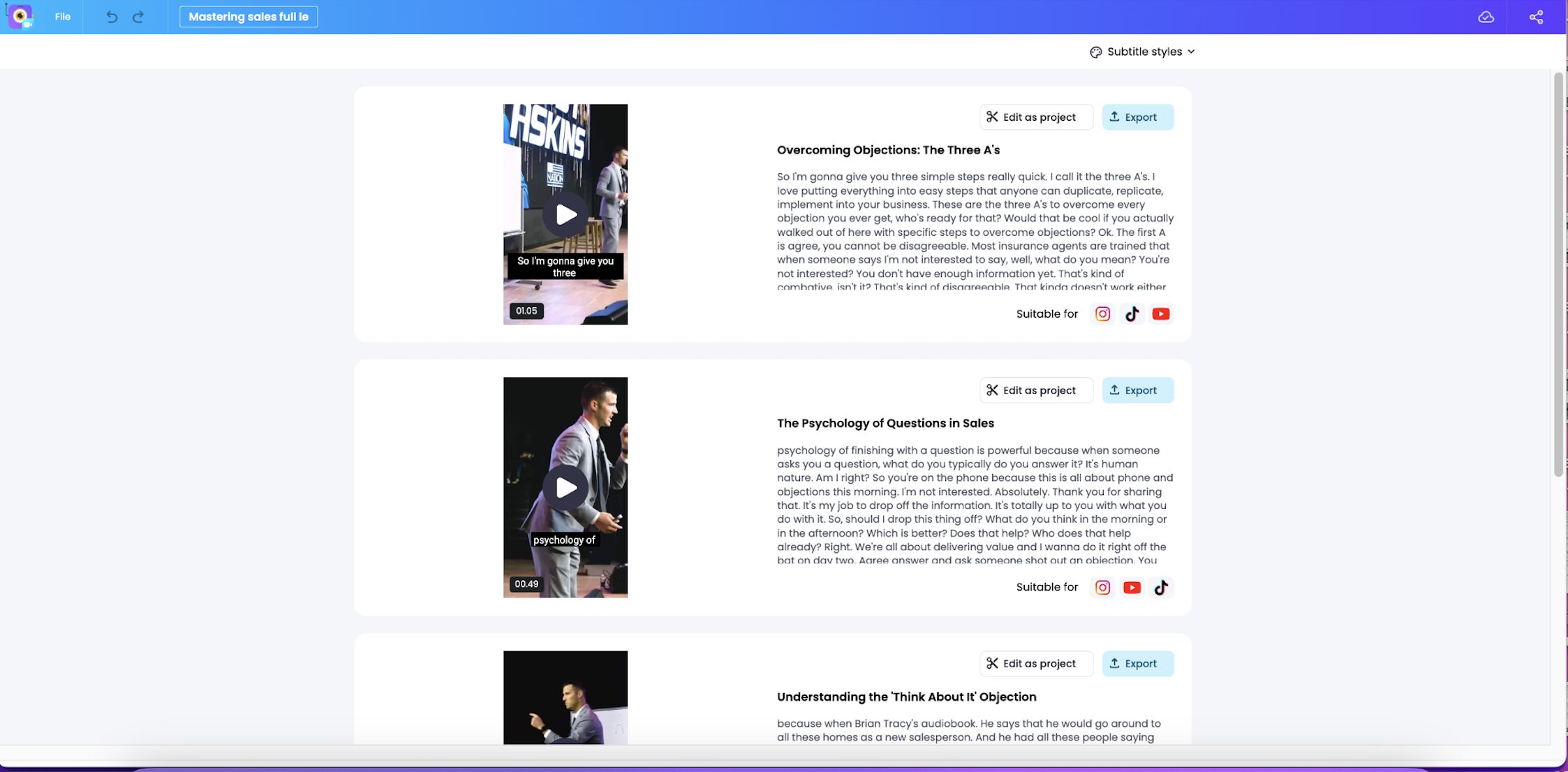
A key strength was how it handled clip boundaries. It avoided cutting into already-used intro segments and maintained smoother endings, reducing repetition and abrupt cuts.
Best For
- Podcast creators.
- Knowledge video creators
- Interview-style content.
- Context-driven storytelling.
- Creators want publish-ready clips.
Overall Clip Quality Rating: 4.7/5
Output Example:
Where It Still Struggled
The platform prioritizes conversational clarity over aggressively picking isolated highlight moments with partial context, so creators looking for ultra-fast cuts may still want minor manual adjustments.
2. OpusClip
OpusClip consistently pushes high-energy moments, emotional spikes, and strong reactions toward the beginning of clips. This makes the output immediately engaging for Shorts, Reels, and TikTok-style consumption, but it changes how the conversation is experienced.
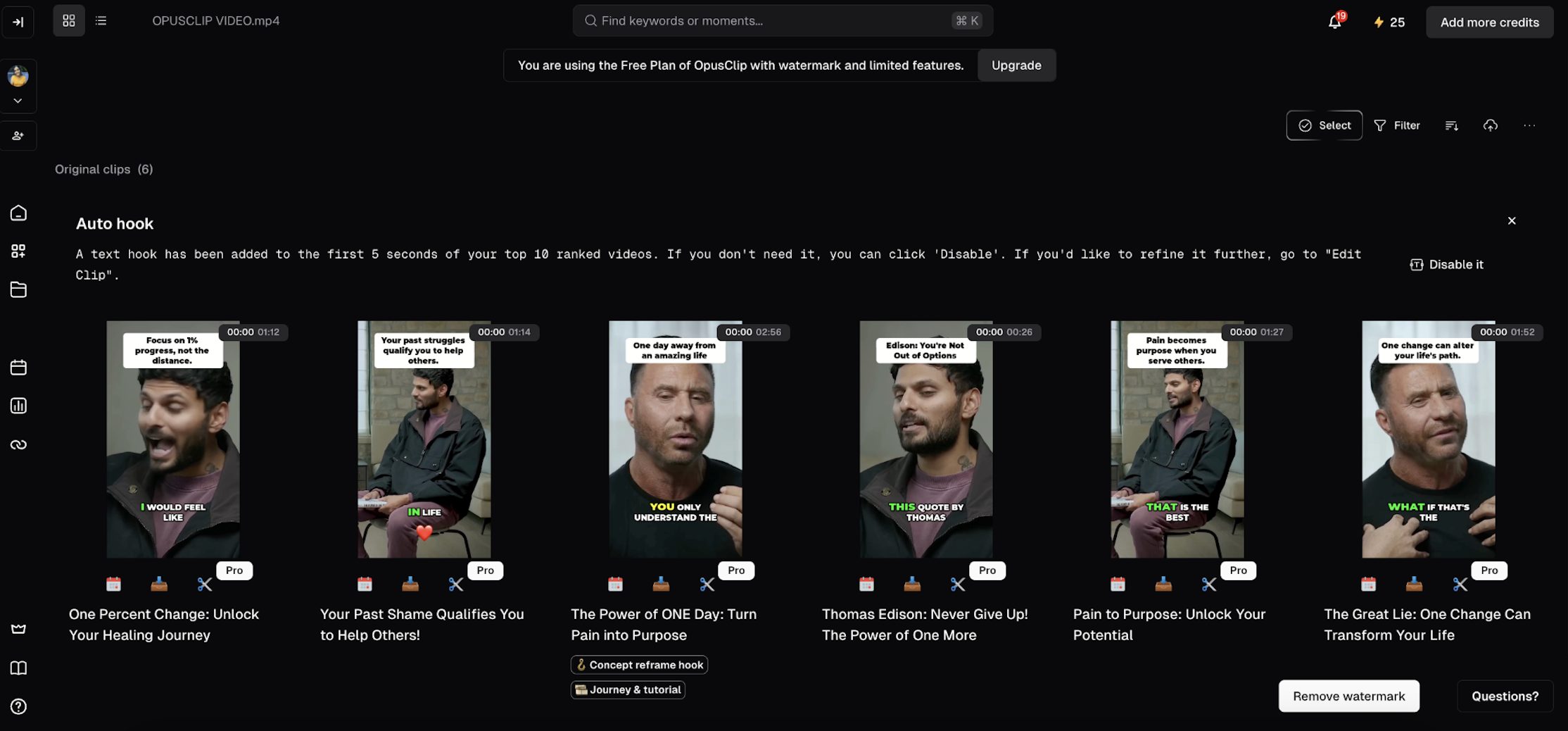
Instead of building up the conversation from context, it often starts closer to the main point or expressions, reducing the natural setup that leads into it, from the start to the end.
Adding on, to maximize hook visibility, the platform also adds large headline overlays at the top of the frame, sometimes taking up too much screen space, and making clips feel visually crowded. Compared to other tools tested, OpusClip reaches the main point faster, but with less conversational buildup before it.
Best For
- Viral Shorts workflows.
- Fast-paced social content.
- High-volume repurposing.
- TikTok-style editing.
Overall Clip Quality Rating: 4.5/5
Output Example:
Where It Still Struggled
Some clips removed too much setup before the main statement, which occasionally made the emotional payoff feel disconnected from the original conversation.
3. Vizard AI
In Vizard AI, the clips come out visually clean immediately after generation, with strong captions and vertical formatting that are ready to publish without much editing.
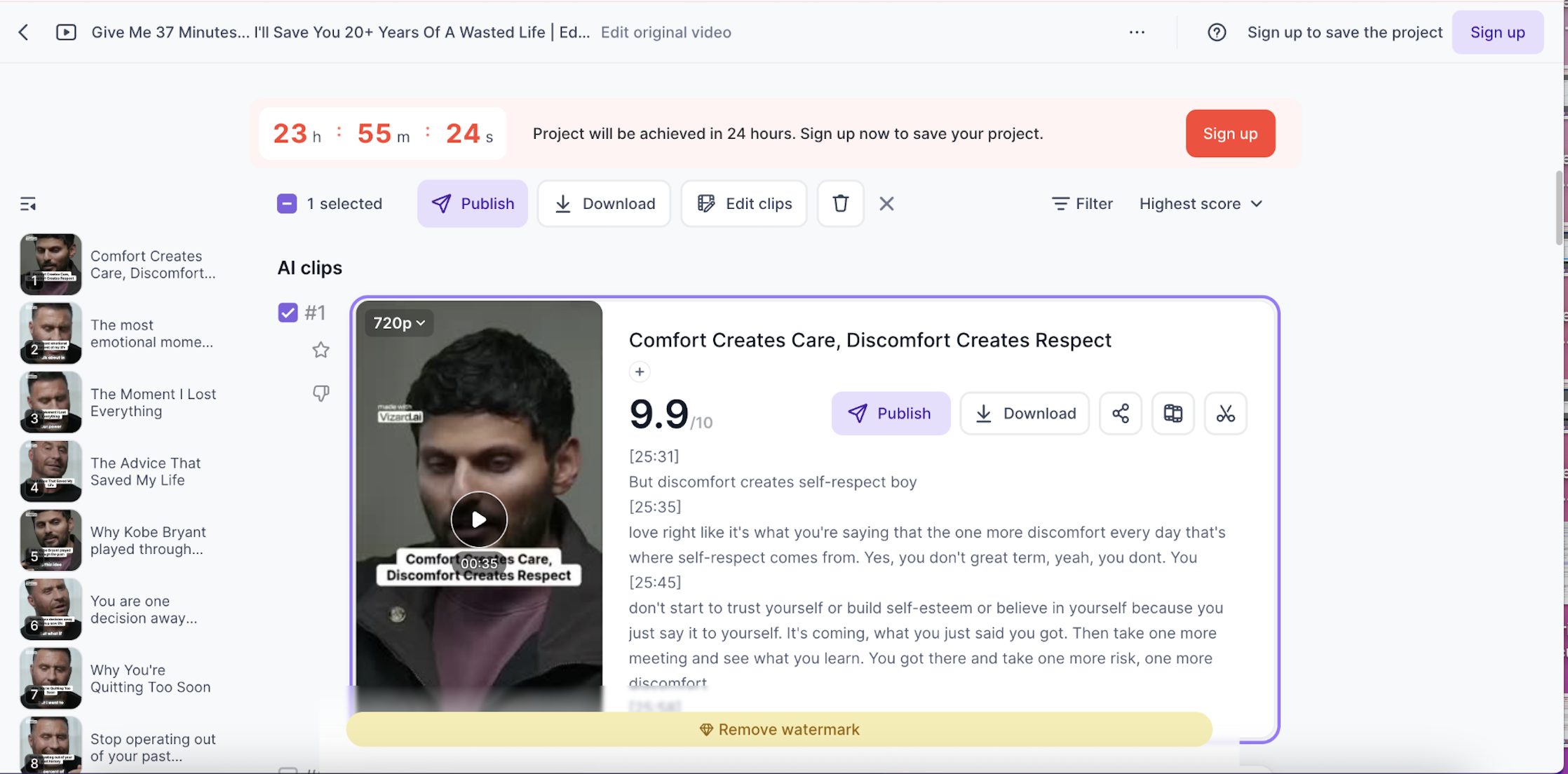
The reframing itself is handled well, and the final output looks structured once it settles into the conversation. However, the start of some clips can feel slightly abrupt, as the tool sometimes enters the conversation without fully carrying over the natural lead-in.
This can make the opening feel a bit disconnected from how the discussion originally builds. Overall, the output is consistent and polished, but the conversational flow is stronger once the clip gets past the initial entry point.
Best For
- Beginner creators.
- Fast social publishing.
- Clean vertical video formatting.
- Minimal editing workflows.
Overall Clip Quality Rating: 4/5
Output Example:
Where It Still Struggled
During longer conversations, some clips moved slightly too quickly through discussions, which occasionally shortened the conversational payoff.
4. Wayin AI
Wayin AI prioritized automation and output volume more than any other tool tested. The platform generated around 35 clips from the same podcast, making it up for bulk repurposing workflows.
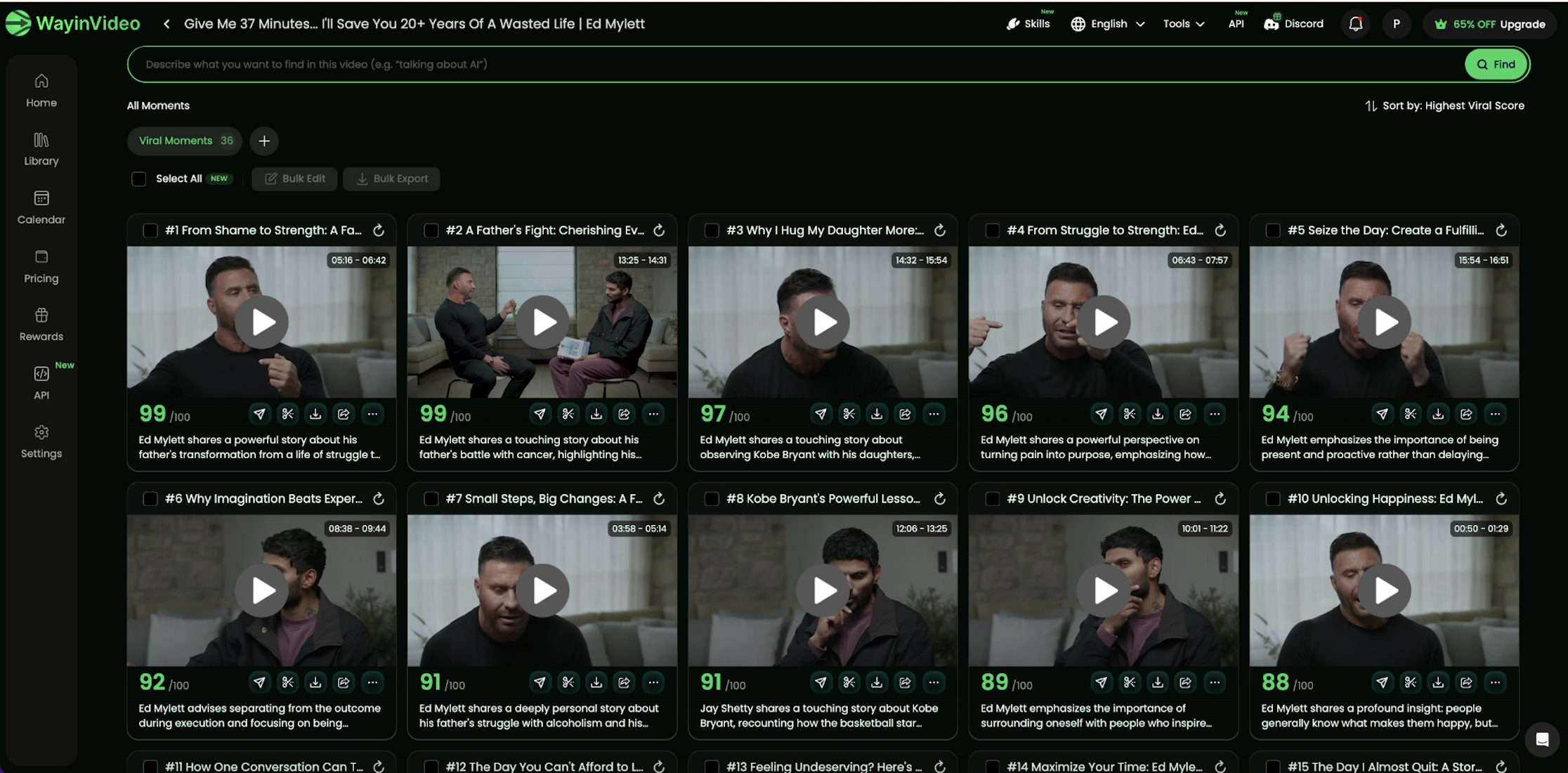
However, its selection process leans heavily toward high-energy reactions and emotional spikes rather than how the conversation actually builds over time. Because of the large number of generated clips, the workflow felt more suited for creators handling high publishing volume rather than carefully refining individual story-driven clips.
While some outputs surface strong moments effectively, reviewing the large number of generated clips can also create selection fatigue, as it becomes harder to quickly identify which clips actually preserve conversational context versus which ones are just high-intensity segments.
Best For
- Bulk clip generation.
- Agencies and repurposing teams.
- High-volume publishing workflows.
- Rapid content testing.
Overall Clip Quality Rating: 3.5/5
Output Example:
Where It Still Struggled
The quality varied more noticeably across clips, and reviewing such a large number of outputs sometimes created selection fatigue. A few clips also started too abruptly without enough conversational setup.
5. Descript
Descript felt less like an automated clip generator and more like a transcript-based editing platform. Instead of heavily automating clip selection, the workflow focused more on manual editing control through transcripts and prompts.
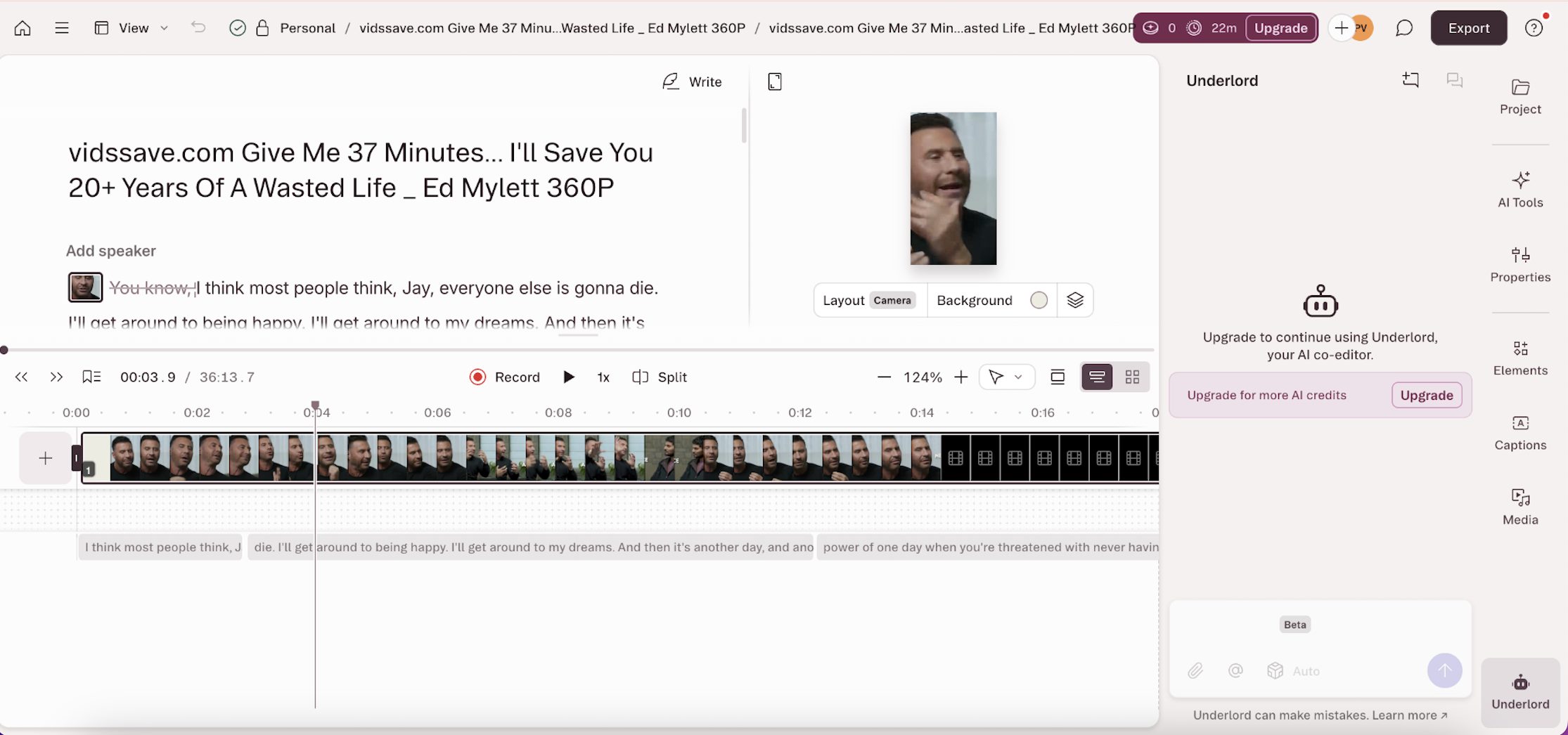
That made the experience feel very different from the other AI clipping tools tested. Because of this, conversational flow is not something the system fully preserves on its own. It depends more on how the editor manually selects and structures parts of the discussion.
Compared to other tools tested, it is less focused on generating ready-made highlights and more dependent on manual effort to define where the conversation should start and end.
Best For
- Transcript-driven editing.
- Podcast creators.
- Manual storytelling control.
- Dialogue-heavy editing workflows.
Overall Clip Quality Rating: 3.5/5
Output Example:
Where It Still Struggled
Compared to clipping-focused AI tools, Descript required more manual refinement before clips felt fully publish-ready. Some AI-generated selections also missed stronger conversational moments that other tools identified more aggressively.
6. Riverside
Riverside maintains relatively natural speaker continuity in podcast-style and multi-speaker conversations. The clips often start with good conversational clarity, and the flow feels intact through the middle of the segment.
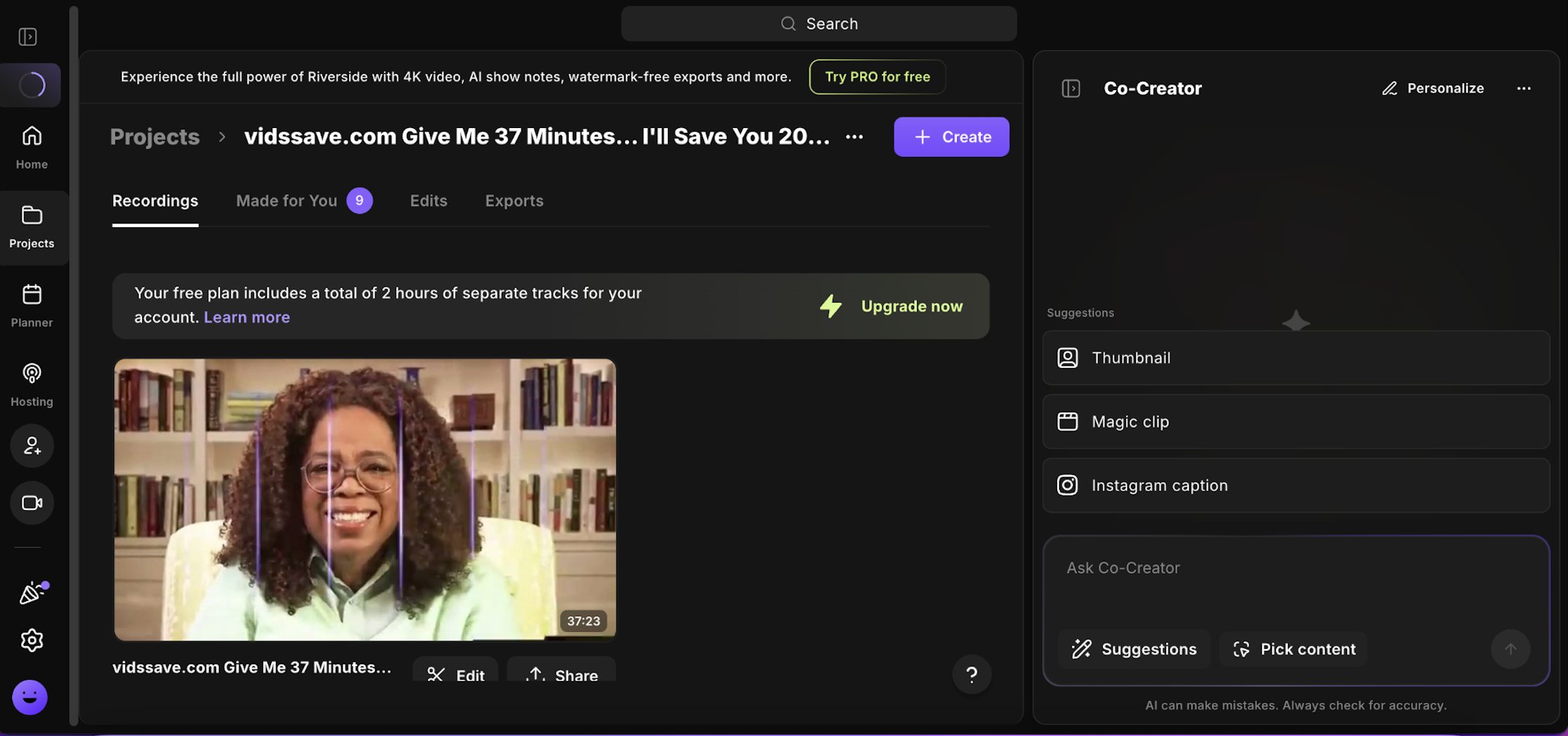
However, the AI reframing is not always consistent, and in some cases, the framing breaks slightly during transitions. This affects how smoothly the conversation is visually carried, even if the audio flow remains intact.
While the beginning of the clips usually feels grounded in context, some outputs end abruptly, where the conversation is cut before it naturally concludes. This creates a sense of incomplete closure even when the discussion itself is still ongoing.
Best For
- Podcast creators.
- Interviews and discussions.
- Multi-speaker conversations.
- Natural conversational pacing.
Overall Clip Quality Rating: 3.5/5
Output Example:
Where It Still Struggled
Some clips ended slightly too early before the conversation fully settled, which occasionally made the endings feel incomplete or abruptly shortened.
How Different AI Editors Handled the Same Conversation?
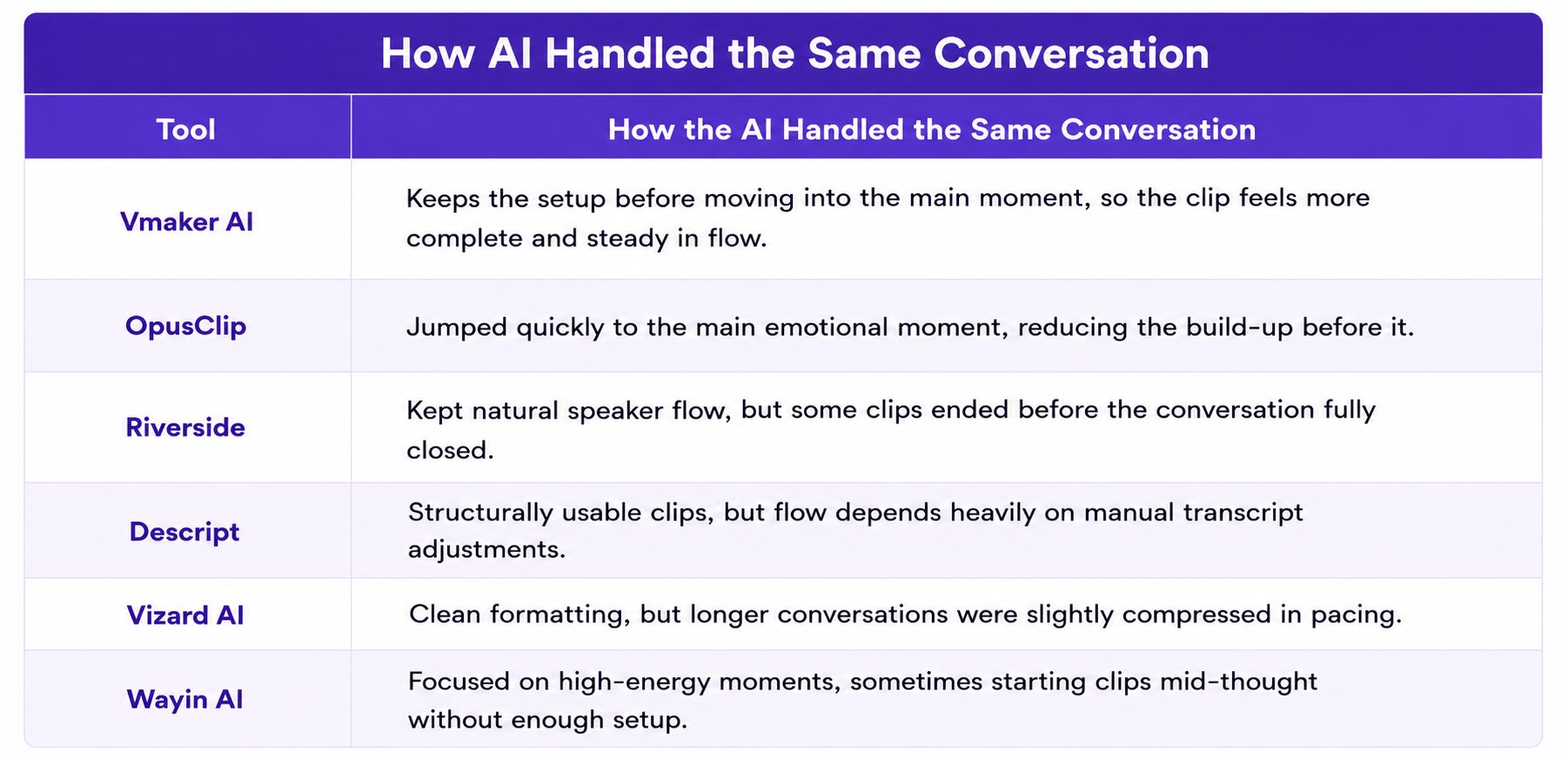
Looking across all six tools, the differences in conversational handling become easier to categorize rather than describe individually. Instead of isolated behaviors, clear patterns start to emerge in how each system treats the same segment of dialogue.
Some tools consistently prioritize extracting the most engaging moment, even if it means reducing the surrounding context. Others preserve more of the conversational build-up, which changes how the clip feels when viewed on its own.
What I Learned After Testing All 6 AI Video Editors?
After testing all six platforms on the same podcast, the difference wasn’t about speed or features. It came down to how each tool treats conversation structure when turning long-form dialogue into short clips. Most tools can identify interesting moments.
The difference is how much surrounding conversation they preserve before and after those moments. The strongest clips tended to retain:
- Setup before the main moment.
- The emotional build-up leading into it.
- Speaker rhythm.
- Continuity of context.
- A clear ending point.
When these elements were missing, the clips still contained as strong highlights, but felt less complete when watched independently. Across tools, two clear approaches emerged: Some systems prioritize fast extraction of attention-grabbing moments. Others prioritize keeping more of the conversational context intact, even if it reduces intensity.
So, if the goal is high-volume short-form output, faster extraction systems work well. But if the goal is clips that feel like complete moments from a real conversation, preserving conversational structure becomes more important than maximizing highlight intensity. Because the real gap today isn’t clip generation. It’s whether the clip still feels like part of a conversation once it stands alone.
FAQs
What is the best AI tool to turn long videos into Shorts?
The best AI tool for turning long videos into shorts depends on the type of clips you want to create. Platforms like Vmaker AI and OpusClip performed strongly during testing because they could automatically identify key moments, generate captions, reframe videos vertically, and create social-ready clips from podcasts, interviews, webinars, and long-form YouTube videos.
What is the best AI video editor for content repurposing?
For content repurposing, AI video editors like Vmaker AI, OpusClip, Vizard AI, Riverside, and Descript each serve different workflows. Some focus on fast viral-style clip generation, while others prioritize conversational storytelling, transcript editing, podcast continuity, or high-volume automation.
How is Vmaker AI different from OpusClip?
Vmaker AI and OpusClip approach AI clipping differently. OpusClip is heavily optimized for fast hooks, emotional spikes, and retention-focused short-form editing. Vmaker AI focused more on conversational continuity, smoother pacing, and preserving enough context before the emotional payoff, which made clips feel more natural and easier to follow.
What is the best OpusClip alternative?
Vmaker AI is one of the strongest OpusClip alternatives for creators who want AI-generated clips that preserve conversational flow and narrative continuity instead of aggressively jumping into viral highlight moments. Other alternatives include Vizard AI, Riverside, Descript, and Wayin AI, depending on whether you prioritize automation, podcast workflows, transcript editing, or bulk clip generation.
Which AI tool is best for podcast clips?
For podcast clipping workflows, Vmaker AI and Riverside performed well because both platforms maintained more natural conversational continuity during interviews and long-form discussions. Descript also works well for podcast creators who prefer transcript-based manual editing control.
Can AI video editors clip webinars and screen recordings into Shorts?
Yes. Most modern AI video editors can automatically convert webinars, tutorials, meetings, interviews, and screen recordings into Shorts, Reels, and TikTok clips by identifying key moments, generating captions, reframing layouts vertically, and trimming longer conversations into shorter segments.
Are there free AI video editors that can turn long videos into Shorts?
Yes. Many AI video editors now offer free plans or trial versions for generating short clips from long videos. Platforms like Vmaker AI, OpusClip, Vizard AI, Riverside, and Descript allow creators to test AI clip generation before upgrading to paid plans. Most free plans include a small branding watermark on exported clips, but they still allow creators to explore the product, test workflows, and evaluate clip quality extensively before committing to a paid version.
How many languages does Vmaker AI support for dubbing?
Vmaker AI supports multilingual dubbing and subtitle generation across multiple global languages, helping creators localize podcasts, webinars, interviews, and social media content for wider international reach.
Which AI video editor works best for L&D and corporate training videos?
For L&D, corporate training, webinars, and educational content, AI video editors that preserve conversational clarity and contextual continuity usually work better than highly aggressive retention-focused clipping systems. Platforms like Vmaker AI, Riverside, and Descript are better suited for knowledge-heavy workflows where information clarity matters more than rapid pacing.
Do AI-generated clips need manual editing before publishing?
Sometimes. While AI video editors can automate clipping, captions, reframing, and formatting, some outputs still benefit from minor manual refinement depending on pacing, context retention, caption accuracy, or clip endings. The amount of editing required varies significantly between platforms and content types.