

How to Pick the Right Course Style as a Trainer?
Being a trainer comes with a huge responsibility - not just to deliver content, but to make sure it actually sticks!
And surprisingly, one of the most common mistakes isn’t bad content. It is choosing the wrong format or the wrong course style.
You could have a well-designed course with solid concepts and lessons…and it can still fall flat if it doesn’t match how learners actually consume and apply information.
Here is the thing - training formats are more often chosen based on convenience or personal preference rather than what learners truly need.
But the best trainers take a different approach, and once you see it, it’s hard to go back.
In this guide, we’ll break down a simple, practical framework that helps you choose the right training format every time.
Here’s a video version of the framework -
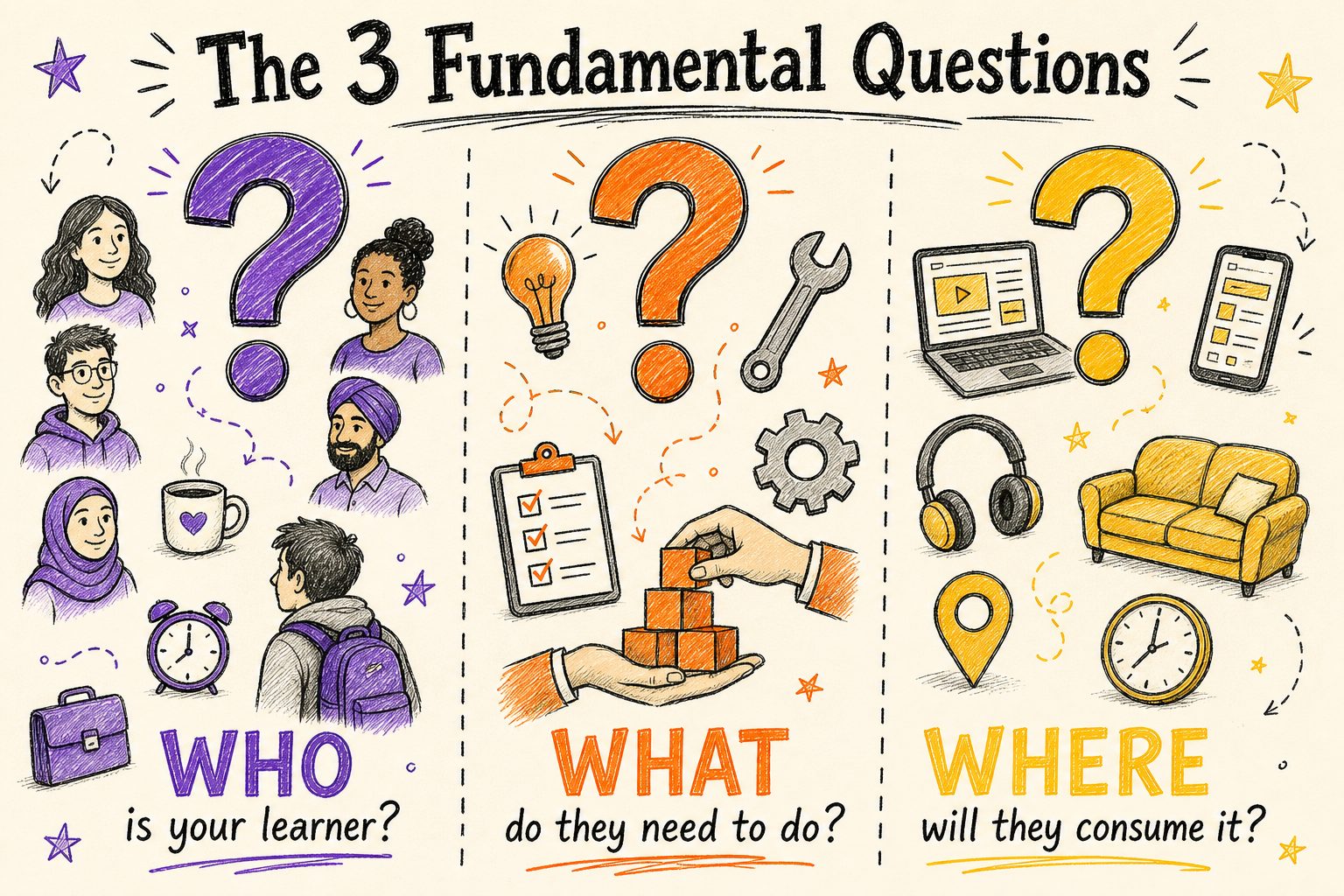
1. Who is your learner?
Start with who you’re creating the training content for. Are they beginners or experienced? Busy professionals or students?
When you understand their habits, attention span, and preferences, it becomes much easier to choose a format that actually works for them.
2. What do they need to do after the training?
This is all about the outcome. Do they just need to understand a concept? Or actually perform a task?
If it’s knowledge, simpler formats work. If it’s a skill, you’ll need something more hands-on and interactive.
3. Where will they consume the training?
Think about the context. Will they watch it at their desk, on their phone, or in between tasks?
That usually tells you everything - if they’re short on time, keep it quick. If they can sit and focus, you can go deeper.
Now, let’s look at the different training formats.
Understanding Training Formats
Each format serves a different kind of course style - some are better for explaining concepts, while others are designed for practice and interaction.
Here’s a quick breakdown of the formats -
- Slides/PowerPoint are great for structured, concept-heavy content like policies or data.
- Videos are Ideal for explaining ideas through visuals, storytelling, or demonstrations.
- Roleplay is best for practicing real-world scenarios and building practical skills.
- Microlearning is perfect for quick, focused learning when time is limited.
- Interactive Games are useful to boost engagement and keep learners motivated.
- Quizzes help reinforce learning and test understanding.
It is important to know which format does what best.
Now, how to choose the right format?
The 3 Question Framework
Choosing the right format depends on your situation. It comes down to three key factors -
1) the type of learning (knowledge vs skill)
2) the learner’s motivation, and
3) the time they have available.
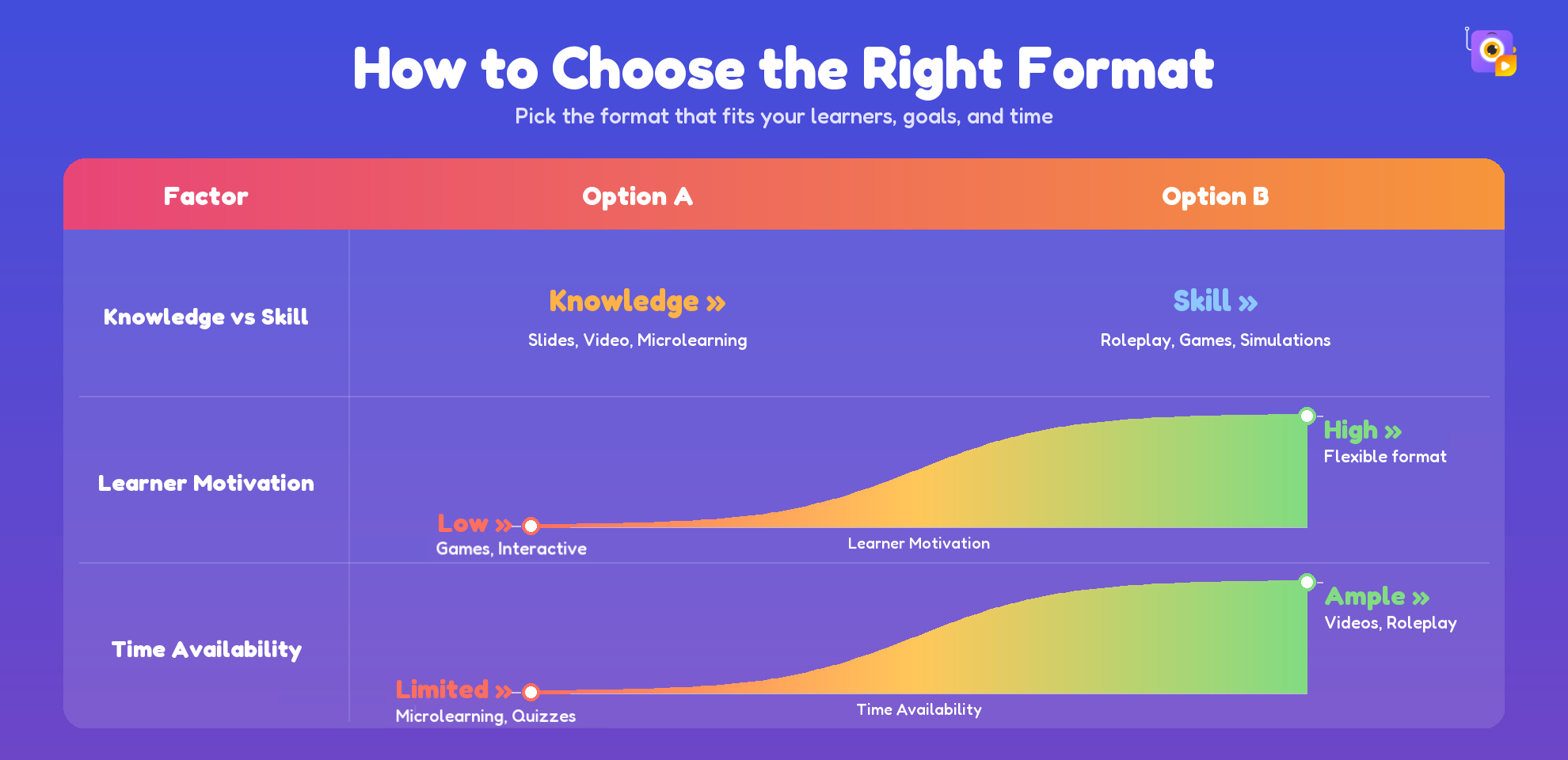
Knowledge-based topics are easier to deliver through structured formats like slides, videos, or microlearning. But when the goal is skill development, more interactive approaches like roleplay, simulations, or games become essential.
Motivation also plays a big role. Highly motivated learners can adapt to most formats, while low motivation often requires more engaging, interactive content to keep attention.
Finally, time constraints shape everything. When learners are short on time, quick formats like microlearning or quizzes work best. With more time, you can use detailed videos or hands-on practice.
The table below makes it easy to understand at a glance.
But in practice, you’ll rarely rely on just one format.
The most effective training uses a mix, starting with a video to introduce the concept, followed by a quiz to reinforce it, and then roleplay or interactive activities to put it into action.
Turning Your Training Plan into Reality
Knowing what to use and when is one thing. Putting it all together is another. Now let’s talk about actually building it.
With tools like Animaker, you can quickly create videos, microlearning content, and interactive training assets without needing advanced skills.
And once your content is ready, the next step is turning it into a complete learning experience. That’s where Nano LMS, built into Animaker, comes in.

Nano LMS is a lightweight, AI-powered learning system that helps you structure, organize, and deliver your training without extra tools or setup.
(And yes, it is free…..forever!)
With Nano LMS, you can:
- Structure your courses effortlessly
- Combine videos, quizzes, and interactive content in one place
- Track learner progress and engagement
- Deliver a complete, end-to-end learning experience
Everything works together smoothly, so you can focus on creating better training, not managing multiple tools.