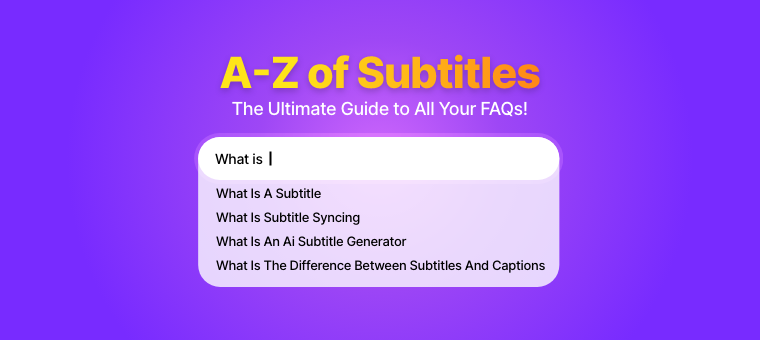
A-Z of Subtitles - The Ultimate Guide to All Your Questions!

Shreshtra - December 22, 2025 - Leave your thoughts. 8 min read
Subtitles are commonly used, but few recognize how powerful they truly are.
Beyond simply displaying text on a screen, subtitles play a key role in making video content more accessible, engaging, and easier to understand for diverse audiences.
With the rise of AI-powered tools like the Animaker Subtitle app, creating and managing subtitles has become faster and more efficient than ever.
This subtitle FAQ answers the most common questions about subtitles, from the basics to advanced AI-driven solutions.
This guide is organized into the following sections:
General Subtitle FAQs
1. What is a subtitle?
A subtitle is on-screen text that displays the spoken dialogue of a video in sync with the visuals.
It helps viewers understand the content even when the audio is unclear or unavailable. Subtitles are widely used for language translation, better comprehension, and silent viewing.
They usually appear at the bottom of the screen and follow the timing of the speech.
2. Why are subtitles necessary?
Subtitles are essential because they make video content accessible to a broader audience, including people who are deaf or hard of hearing.
They allow viewers to watch and understand videos without sound, which is common in public or noise-sensitive environments.
Subtitles also improve comprehension by clarifying fast speech, strong accents, or complex terminology.
Additionally, they help videos reach global audiences by supporting multiple languages and translations.
3. What are closed captions (CC)?
Closed captions are text versions of a video’s audio that viewers can choose to turn on or off.
They include spoken dialogue as well as important sounds like music cues or background noises.
Closed captions are widely used on platforms such as YouTube, streaming services, and TV broadcasts. They improve accessibility without permanently embedding text into the video.
4. What are open captions?
Open captions are subtitles that are permanently built into a video and cannot be turned off. They are always visible, no matter where the video is played.
This makes them reliable across all platforms and devices. Open captions are especially useful for social media videos that autoplay without sound.
5. What’s the difference between subtitles and captions?
Subtitles mainly show spoken dialogue and are often used for language translation.
Captions include dialogue along with important non-speech sounds like music or sound effects.
Captions are designed to support accessibility for deaf or hard-of-hearing viewers. Subtitles, on the other hand, are commonly used to help multilingual audiences understand the content.
Want to know more about closed captions vs subtitles? Check out the link provided.
6. How do subtitles help with accessibility?
Subtitles mainly show spoken dialogue and are often used for language translation. Captions include dialogue along with important non-speech sounds like music or sound effects.
Captions are designed to support accessibility for deaf or hard-of-hearing viewers. Subtitles, on the other hand, are commonly used to help multilingual audiences understand the content.
7. Can subtitles improve viewer engagement?
Yes, subtitles can significantly improve viewer engagement. They allow people to understand videos even when the sound is off, which is common on social media.
Subtitles help viewers stay focused and follow the message clearly. As a result, videos with subtitles often see higher watch time and fewer drop-offs.
8. What languages can subtitles support?
Subtitles can support a wide range of languages, depending on the tool or platform used.
Many modern subtitle tools offer multilingual support and automatic translation. For example, Animaker’s Subtitle Generator supports 130+ languages.
This makes it easy to create subtitles in different languages without manual effort. As a result, creators can reach and engage audiences around the world.
9. Are subtitles necessary if my video already has voice-over?
Yes, subtitles are still important even if your video has a voice-over.
Many viewers watch videos with the sound turned off, especially on social media.
They also improve accessibility by making your content easier to understand for people who are deaf or hard of hearing, non-native speakers, and viewers watching in sound-restricted environments.
Subtitles ensure your message is understood without audio and help viewers follow along more easily.
AI Subtitle Generator FAQs
10. What is an AI subtitle generator?
An AI subtitle generator is a tool that automatically creates subtitles for videos using artificial intelligence.
It converts spoken audio into text in real time or after processing. This removes the need for manual transcription. AI subtitle generators save time and improve efficiency.
11. How to make subtitles using AI?
In general, creating subtitles with AI involves uploading your video to an AI subtitle generator.
The tool then automatically transcribes the audio and generates synced subtitles.
You can then review, edit, and adjust the timing (if the tool allows) before exporting or applying them to your video.
For a detailed step-by-step guide, check out this article.
12. How do AI subtitle generators work?
AI subtitle generators use automatic speech recognition (ASR) to analyze a video’s audio track and identify spoken words.
The audio is processed through machine-learning models trained on large speech datasets, which convert speech into text with timestamps.
These timestamps are then used to sync each line of text precisely with the video timeline.
Advanced models also handle accents, background noise, and speaker changes, after which users can review and fine-tune the subtitles if needed.
13. Can AI tools automatically translate subtitles?
Yes, many AI subtitle tools can automatically translate subtitles into different languages.
They use AI-powered translation models to convert the original text while keeping the timing intact.
For instance, Animaker’s AI Translate can translate both the subtitles and audio of videos created in Animaker, making it simple to produce multilingual content and reach a global audience quickly.
14. How fast do AI tools generate subtitles?
AI subtitle tools can generate subtitles in just a few minutes, depending on the platform or tool used and the video length.
Short videos are often processed almost instantly, while longer videos take slightly more time.
Even so, AI-generated subtitles are much faster than manual captioning, making them ideal for quick and efficient content creation.
15. Are AI subtitle generators free to use?
Many AI subtitle generators offer free plans or trials with limited features.
These may include restrictions on video length, exports, or languages.
Paid plans usually unlock advanced features, higher accuracy, and more customization. This allows users to choose based on their needs.
16. Do AI subtitle tools work for long videos?
Yes, most AI subtitle tools can handle long videos, but their capabilities may vary depending on the tool and the plan you’re using.
Some plans may have limits on video length or file size.
Even for extended content like webinars, podcasts, or training sessions, AI tools can generate subtitles quickly and efficiently.
Subtitle File & Format FAQs
17. What is an SRT file?
An SRT (SubRip Subtitle) file is a common subtitle format that contains subtitle text along with timecodes.
It tells the video when each line should appear and disappear. SRT files are supported by most video platforms and are easy to create or edit using simple text editors.
18. What is a VTT subtitle file?
A VTT (Web Video Text Tracks) file is a subtitle format mainly used for web videos.
It includes timing information and supports basic styling like font and color.
VTT files work seamlessly with HTML5 video players and are commonly used on streaming platforms and websites.
19. Which subtitle format is best for YouTube?
The SRT format is the most popular and easiest to use for YouTube.
It contains the subtitle text along with timing information so YouTube knows when to show each line. YouTube also supports VTT files, but SRT is simpler for most users.
Both formats let viewers turn subtitles on or off while watching.
If you’re curious to know how to subtitle youtube videos, check out the link provided.
20. Which format should I use for social media videos?
For social media, burned-in subtitles are often the best option. Many platforms autoplay videos without sound, so visible captions work better.
The right format depends on the platform and how you want viewers to interact with your video.
21. How do I convert subtitles from SRT to VTT?
You can convert SRT files to VTT using online tools like Descript, Veed, or video editing software like Adobe Premiere Pro.
Most converters simply require uploading your SRT file and exporting it as a VTT. The process is quick and does not affect the subtitle timing.
22. Can I customize font, color, and style of subtitles?
Yes, many subtitle tools let you customize the font, color, size, and position of subtitles.
This is typically possible when subtitles are generated or burned into the video. Customization helps match subtitles to your brand style and improves readability for viewers.
23. How do burned-in subtitles differ from uploaded subtitle files?
Burned-in subtitles are permanently embedded into the video, so viewers cannot turn them off.
Uploaded subtitle files, such as SRT or VTT, can be turned on or off by the viewer.
Burned-in subtitles ensure the text is always visible across all platforms, while uploaded files offer more flexibility and better accessibility options.
24. What is timecoding in subtitles?
Timecoding is the process of assigning timestamps to subtitles to control when each line appears and disappears on screen.
Each subtitle has a clear start and end time that aligns with the spoken audio.
Accurate timecoding ensures subtitles stay in sync with the video. This is essential for a smooth and easy viewing experience.
25. What is subtitle syncing?
Subtitle syncing is the process of matching subtitles accurately with the video’s audio.
It ensures each line appears at the right time as the dialogue is spoken.
Poor syncing can confuse viewers and disrupt the viewing experience. Most AI subtitle tools handle syncing automatically while still allowing manual adjustments if needed.
---
Creating effective subtitles isn’t just about adding text - it’s about timing, format, and accessibility.
By understanding how subtitles work and how AI subtitle generators support the process, you can build videos that work across platforms and audiences.
Small improvements here can make a big difference in viewer experience.
We hope this subtitle FAQ serves as a practical reference whenever you create or optimize subtitles.